


1. Grasp the New Data Model
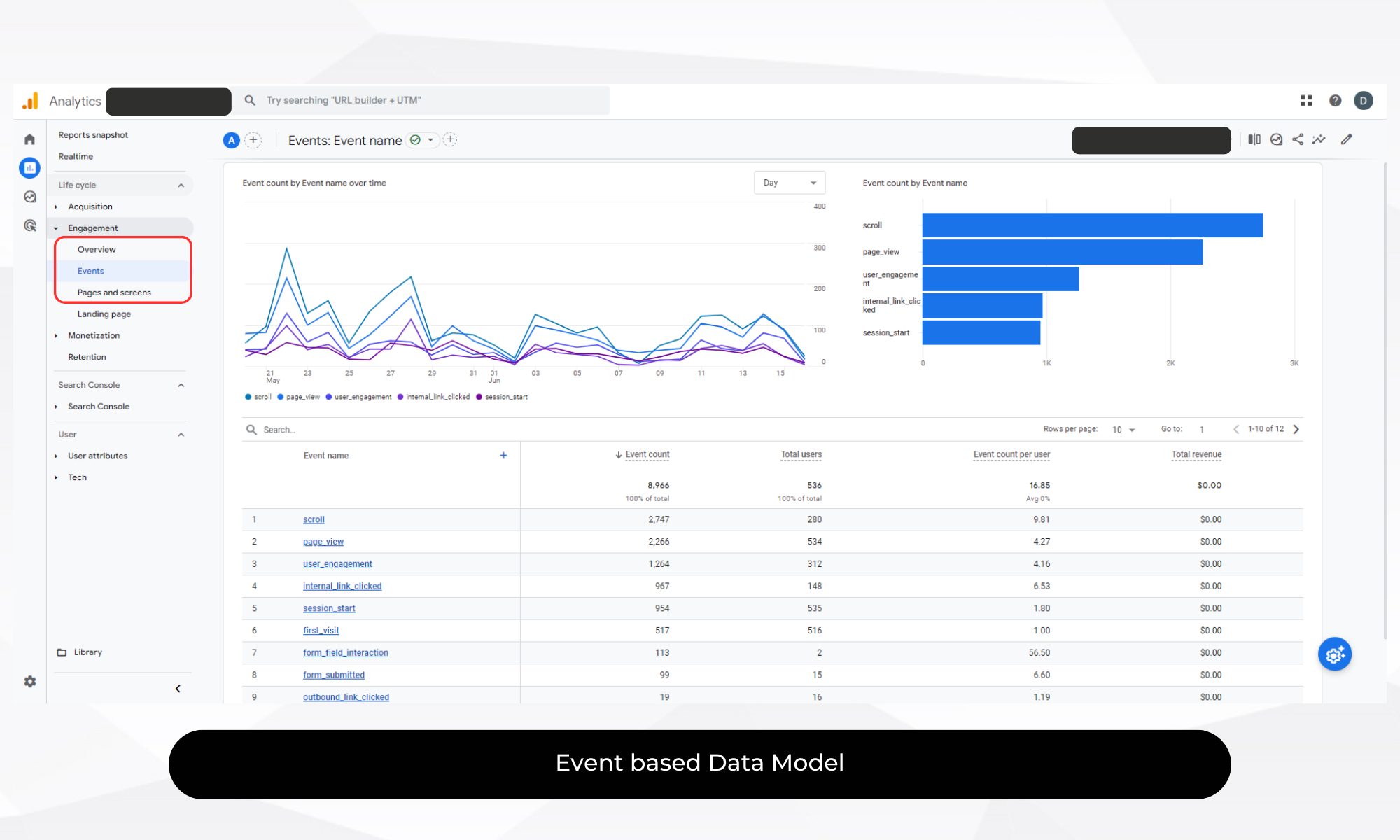
Google Analytics 4 introduces an event-based data model, a significant shift from the session-based model of Universal Analytics. This model provides a more granular view of user interactions across devices and platforms.
- Events Over Sessions: Each interaction is tracked as an event, allowing for a detailed analysis of user behaviour. A 2023 study by Analytics Edge reported a 25% increase in actionable insights from user data among companies using GA4’s event-based model.
- Enhanced User Journey: GA4 tracks users across multiple devices, providing a clearer view of their complete journey.
Pro Tip: Familiarise yourself with the default events such as page_view, click, and purchase. Design custom events that align with your business goals, like tracking specific actions that indicate high user engagement or intent.
Example: A leading retail company saw a 30% improvement in their cross-device tracking accuracy within three months of implementing GA4, enhancing their understanding of user interactions across mobile and desktop platforms.
2. Set Up Enhanced Measurement
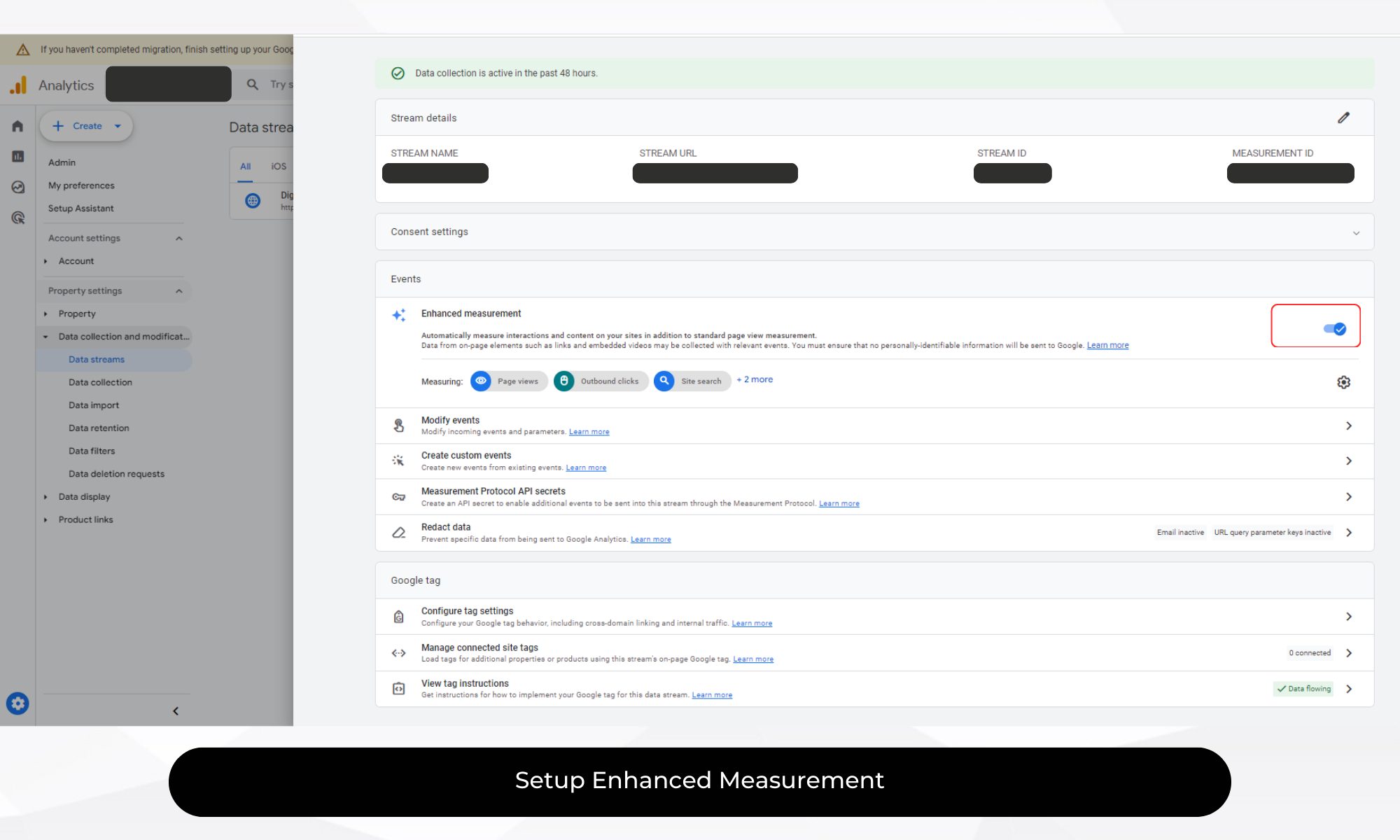
Enhanced Measurement in GA4 simplifies tracking key interactions by automatically capturing data for common events:
- Page Views
- Scrolls
- Outbound Clicks
- Site Search
- Video Engagement
- File Downloads
Pro Tip: Activate Enhanced Measurement in your GA4 settings to automatically track these interactions—Customise settings for specific user interactions to ensure comprehensive data collection.
Google reports that businesses using Enhanced Measurement see a 20% increase in basic event tracking accuracy, leading to more precise data-driven decisions.
Example: A B2B company improved user engagement analysis by using Enhanced Measurement to track file downloads, resulting in a 15% increase in content-driven lead generation.
3. Utilise Google Tag Manager for Advanced Tracking
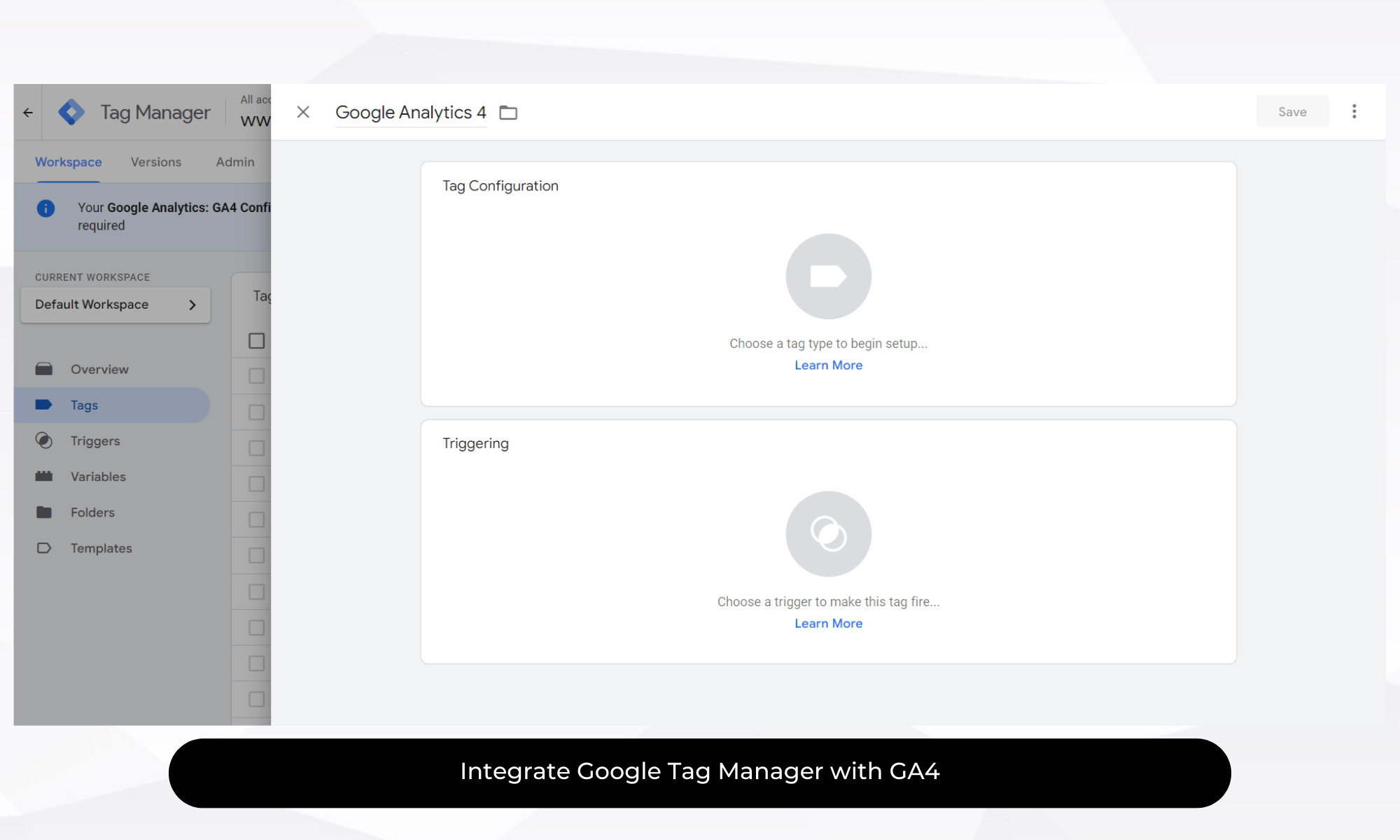
Google Tag Manager (GTM) integrates seamlessly with GA4, allowing you to manage and deploy tags without modifying your website’s code. GTM enables advanced tracking setups such as:
- Event Tracking: Use GTM to create custom events for specific interactions like form submissions or outbound link clicks.
- Variables and Triggers: Define when and how tags should fire based on user actions or page elements.
Pro Tip: Develop a clear GTM plan aligned with your marketing objectives. Utilise the built-in templates and preview mode to test configurations before publishing them.
Insight: A travel booking website used GTM with GA4 to track interactions in their booking funnel, leading to a 25% increase in booking completions by identifying and resolving friction points.
Trick: Use GTM’s built-in variables to dynamically capture user interactions, such as capturing click text or page URL in your custom events, to gain more contextual insights into user behaviour.
4. Leverage Audience Building and Valuable Insights
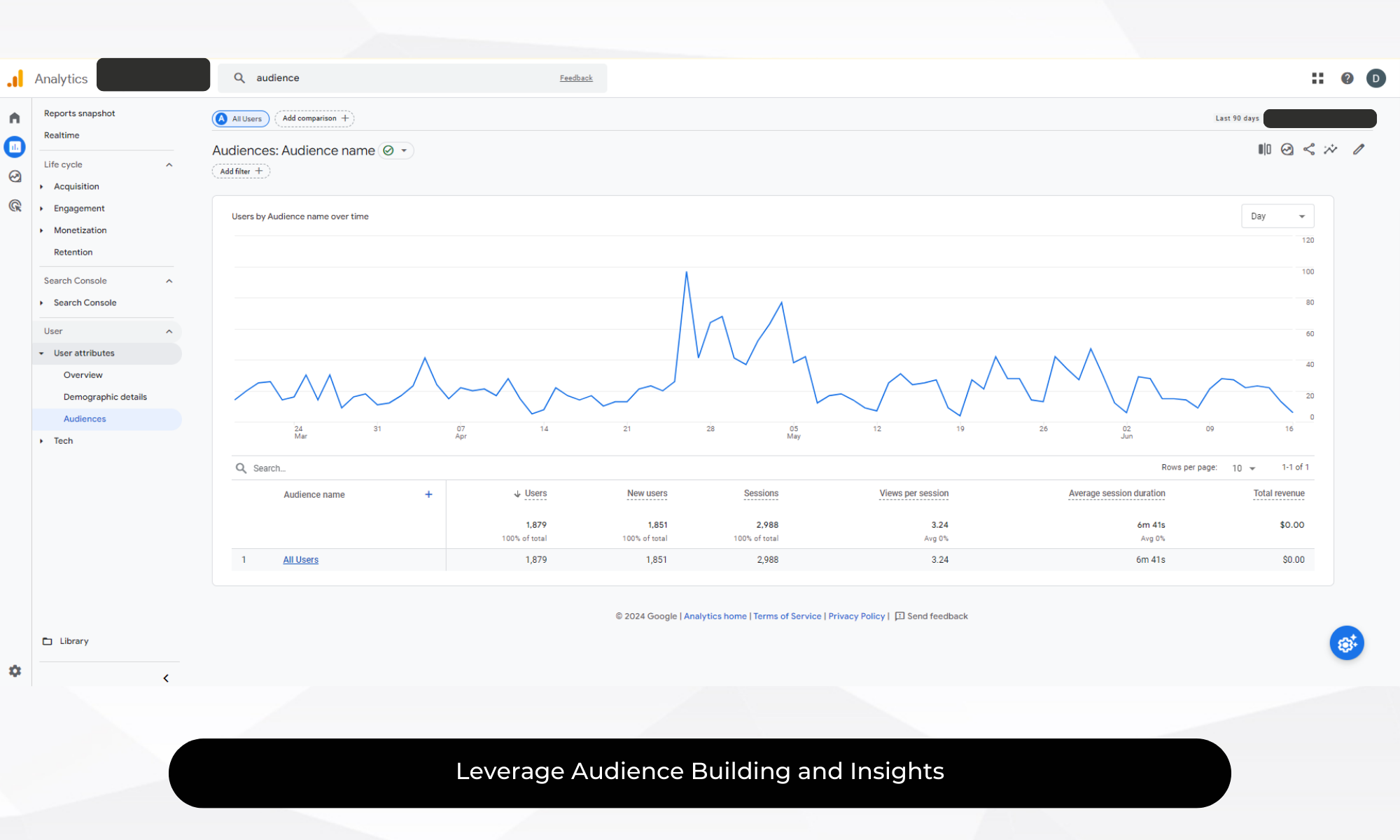
GA4’s audience-building tools let you create segmented user groups for targeted marketing efforts based on:
- Behavioural Segments: Define audiences based on pages visited, actions taken, or specific events triggered.
- Demographics: Segment users by attributes like age, gender, or location.
- Predictive Metrics: Utilise predictive analytics like purchase probability and churn likelihood to create dynamic audiences.
Pro Tip: Regularly update your audience segments to reflect evolving business goals and user behaviours. Use these audiences in Google Ads for personalised campaigns or website experiences.
Fact: Forrester reports that businesses using GA4’s audience-building features see a 40% improvement in the ROI of their remarketing campaigns compared to those using generic segments.
Example: A SaaS company increased trial conversions by 22% by targeting an audience of users who visited their pricing page but didn’t sign up, then retargeting them with personalised email campaigns.
Trick: Use GA4’s predictive audiences to focus on high-value users. For instance, target users with a high likelihood to purchase within the next 7 days, enabling more timely and effective marketing campaigns.
5. Explore the New Reporting Interface
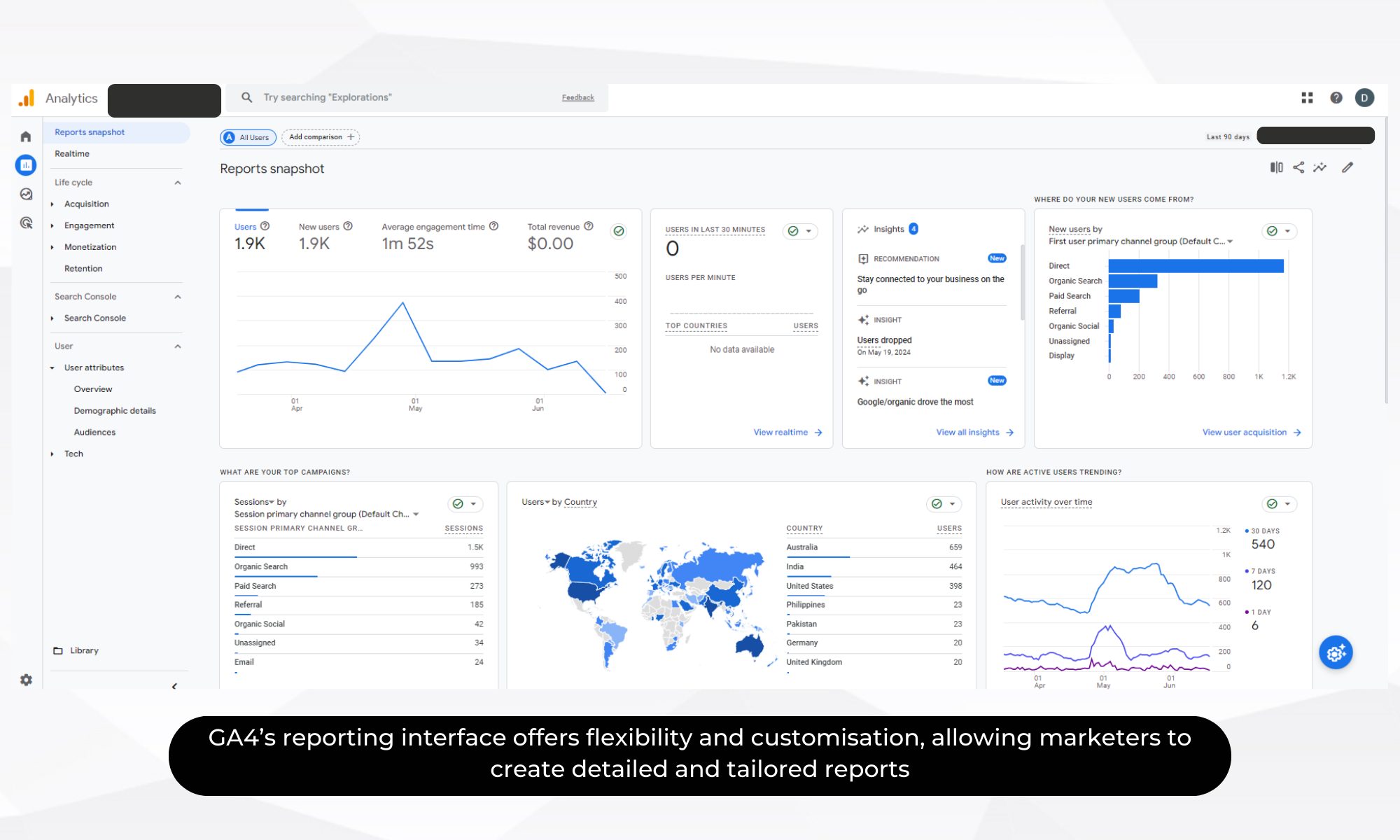
GA4’s reporting interface offers flexibility and customisation, allowing marketers to create detailed and tailored reports:
- Explorations: Build ad-hoc reports and visualise data through free-form tables, path analysis, or funnel exploration.
- Custom Reports: Add dimensions, metrics, and filters to tailor reports to your needs.
Pro Tip: Start with pre-built templates to get familiar with the interface. Gradually create custom explorations to dive deeper into your data and generate actionable insights.
Trick: Save your custom explorations as templates to streamline the creation of future reports. This saves time and ensures consistency in reporting across different campaigns or analysis periods.
6. Track Conversions Effectively
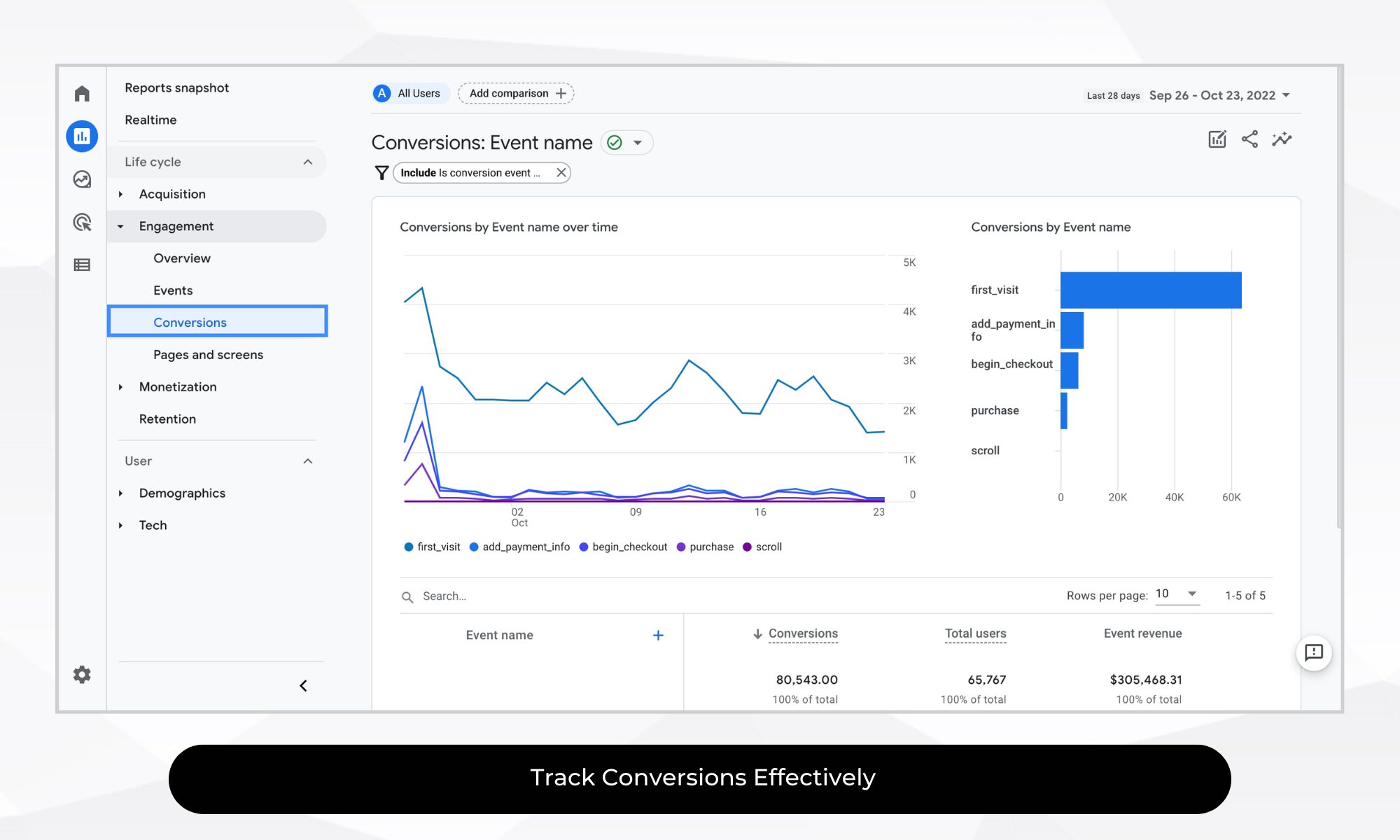
Accurate conversion tracking is crucial for measuring your marketing efforts’ success. GA4 simplifies conversion tracking:
- Define Conversions: Mark specific events as conversions, like completed purchases or form submissions.
- Create Funnels: Visualise conversion paths and identify drop-off points.
Pro Tip: Regularly review and update your conversion events so they remain aligned with your KPIs. Funnel analysis can reveal where users abandon key journeys, giving your internal team or a CRO agency clearer evidence for prioritising improvements.
Example: A financial services firm increased lead generation by 18% by setting up detailed conversion tracking for their online application process, identifying and improving underperforming stages.
Trick: Utilise GA4’s event-based model to create micro-conversions. Track smaller, meaningful interactions leading up to the final conversion to understand and optimise every step of the user journey.
7. Implement Data Stream Monitoring
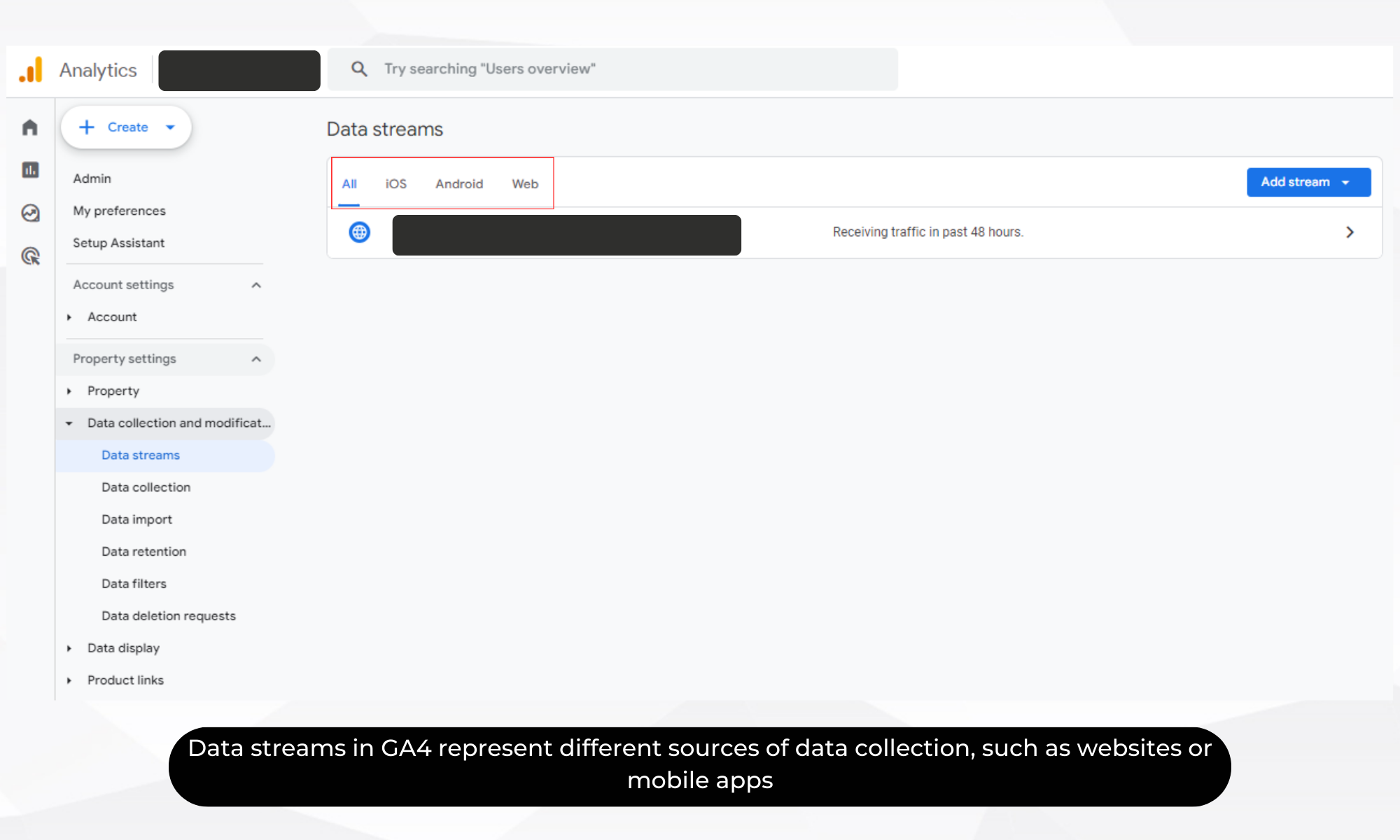
Data streams in GA4 represent different sources of data collection, such as websites or mobile apps. Monitoring these streams ensures data accuracy.
Pro Tip: Set up monitoring alerts to detect any disruptions or anomalies in data collection. Regularly doing a google analytics audit of your streams to maintain data integrity.
Trick: Use GA4’s DebugView to monitor your data streams in real-time during the implementation phase. This allows you to spot and fix issues quickly, ensuring your data is reliable from the start.
8. Utilise AI-Powered Insights
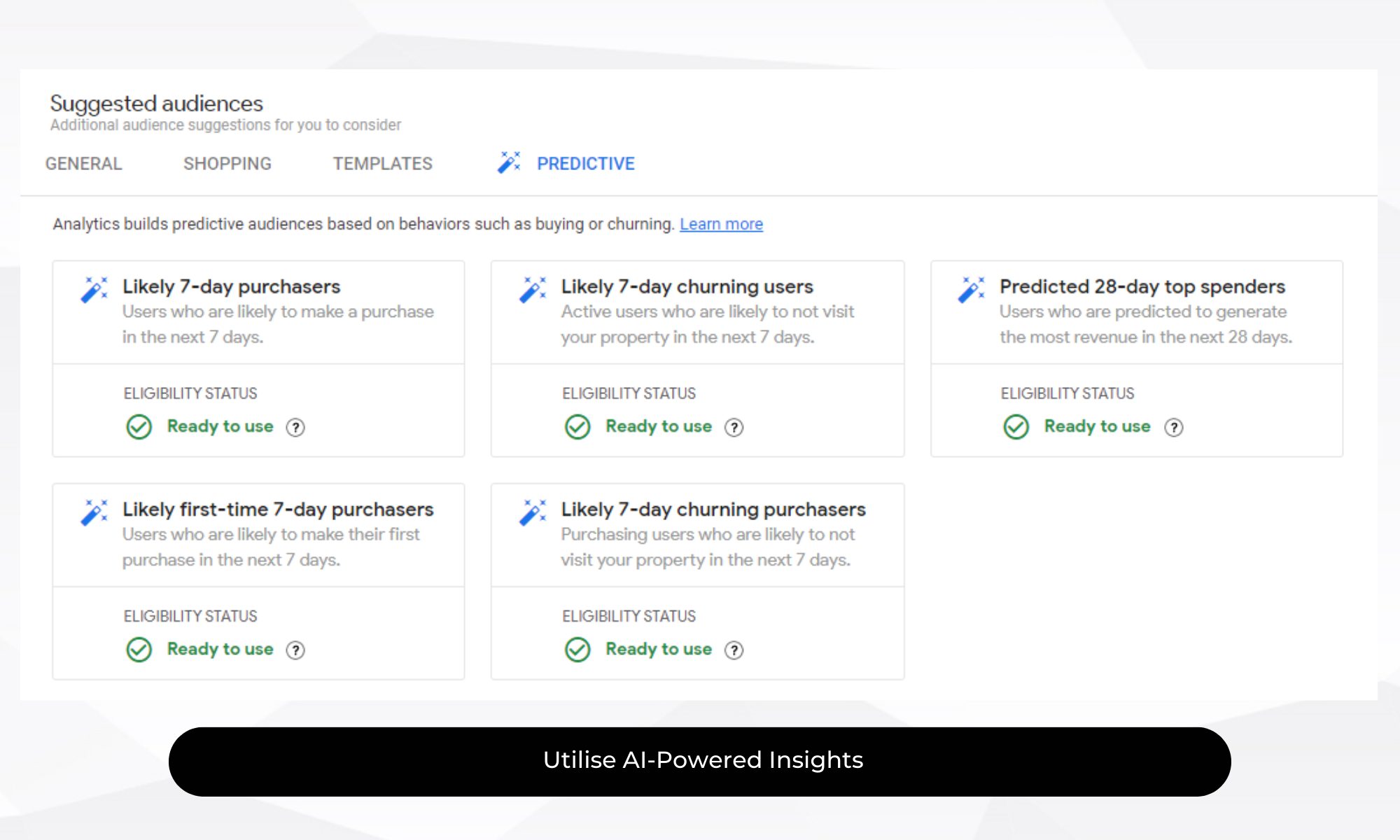
GA4 leverages machine learning to provide predictive analytics and automated insights, helping marketers stay ahead of trends:
- Predictive Metrics: Metrics such as purchase probability and revenue prediction help forecast user behaviour and adjust strategies accordingly.
- Automated Insights: GA4 can automatically surface insights about anomalies, trends, and opportunities in your data.
Pro Tip: Use GA4’s predictive metrics to inform your marketing strategies. For instance, targeting users with a high purchase probability can increase campaign effectiveness.
Google’s analysis shows that companies using GA4’s predictive insights can see up to a 50% improvement in customer retention efforts by anticipating user behaviour and acting proactively.
Trick: Integrate GA4’s insights with your CRM system to create comprehensive user profiles. This allows you to personalise marketing efforts based on predicted user behaviour, leading to higher engagement and conversion rates.
9. Integrate GA4 with Other Tools
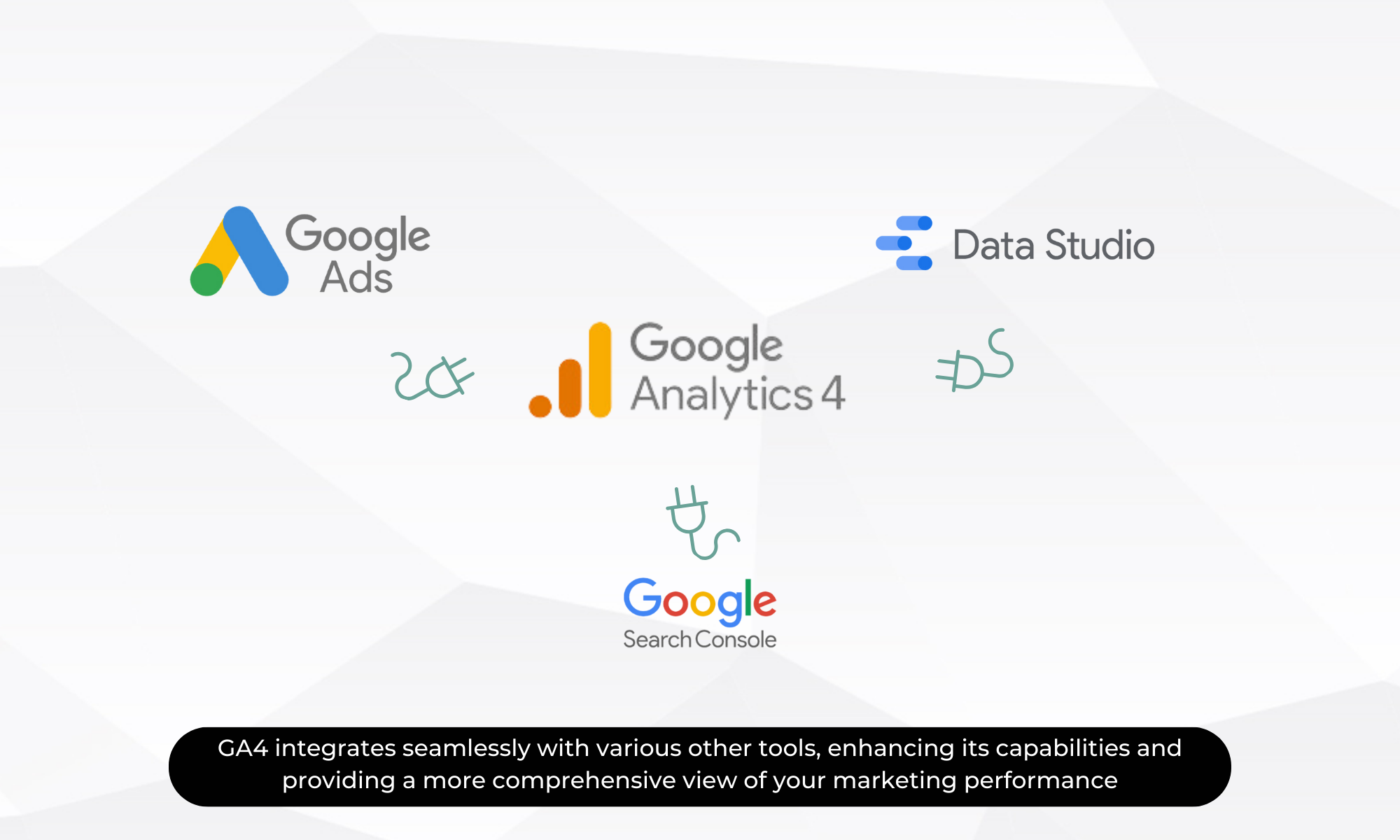
GA4 integrates seamlessly with various other tools, enhancing its capabilities and providing a more comprehensive view of your marketing performance:
- Google Ads Integration: Link GA4 with Google Ads to enhance campaign tracking and optimise your ad spend based on user interactions.
- BigQuery Integration: Use BigQuery for advanced analysis and large-scale data querying, allowing for deeper insights and custom reporting.
Pro Tip: Take advantage of GA4’s integration capabilities to combine data from different sources. This provides a more holistic view of your marketing efforts and user behaviour.
Trick: Use BigQuery to analyse large datasets from GA4, such as customer purchase histories and engagement patterns. This allows for more detailed and customised reporting, helping you uncover deeper insights into user behaviour.
10. Thoughts?
Whether you’re just starting out or looking to sharpen your existing skills, these Google Analytics 4 tips and tricks will help you make smarter marketing decisions based on real-time, actionable insights.
Want expert support to fully implement GA4 for your business?
👉 Let’s have a chat. We’ll help you build a measurement strategy that drives growth.

 Previous

