


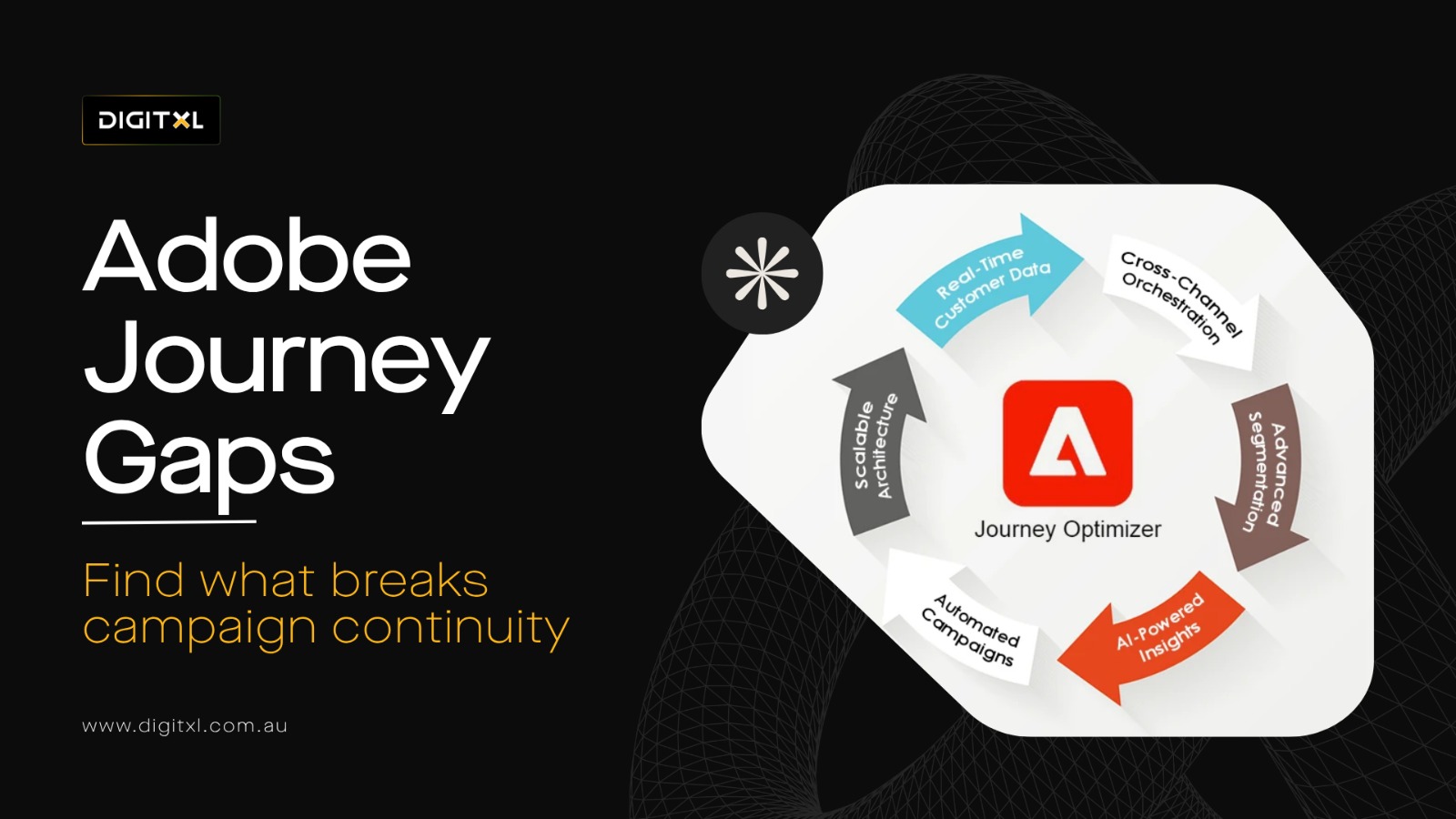
1. What Does It Mean When An Adobe Journey Optimizer Campaign Is Not Working?
When an Adobe Journey Optimizer campaign is not working, it usually means the intended customer journey is not being delivered properly.
This can happen in several ways. A customer may qualify for a segment but never enter the journey. A behavioural event may occur, but the journey does not trigger. A message may send through email but fail across SMS, push or in-app. A customer may receive a message too late, in the wrong sequence or after they have already completed the intended action.
In some cases, the campaign is technically live, but the experience still feels disconnected. The journey logic may not reflect real customer behaviour, or the audience data may not be reliable enough to support real-time personalisation and Campaign Orchestration.
This is why many teams ask: why is my AJO journey not triggering when the campaign is already active?
The answer usually sits across data, events, audiences, Consent evaluation, Journey Runtime, campaign statuses, journey conditions and channel execution.
2. Common Signs Of Adobe Journey Optimizer Campaign Problems
Adobe Journey Optimizer issues can be hard to diagnose because the campaign may appear active inside the platform while still failing in the customer experience.
2.1 Journey Not Triggering
Customers complete the required action, but they do not enter the journey.
What To Check
Review the unitary event, message triggering logic, Journey Runtime, schema mapping and whether the event is reaching Adobe Experience Platform correctly.
2.2 Segment Qualification Issues
Profiles are expected to qualify for an audience, but they are not included.
What To Check
Review audience segments, Audience Qualification, Ad-hoc segmentation, segmentation engines, Audience Portal and whether the Customer Profile reflects the expected behavioural signals.
2.3 Messages Not Sending
The journey starts, but email, SMS, push or in-app messages do not send as expected.
What To Check
Review Channel Configurations, message configurations, Delivery log creation, message delivery, delivery rates, suppression rules and consent status.
2.4 Omnichannel Campaign Failure
A campaign works in one channel but does not connect properly across other channels.
What To Check
Review Channel Activities, campaign type, Action campaign logic, Email channel settings, push notification delivery, in-app message setup and whether the journey is using the correct visual orchestration tools.
2.5 Incorrect Audience Targeting
Customers receive messages that do not match their behaviour, preferences, lifecycle stage or consent status.
What To Check
Review Profile Snapshot, Profile snapshot lookup, Customer Profile attributes, Adobe Experience Platform Profiles and whether customer signals are being updated in time.
2.6 Delayed Journey Entry
Customers enter a journey too late, which reduces relevance and commercial impact.
What To Check
Review batch updates, Journey Runtime delays, API calls, API responses, segmentation latency and whether the journey needs real-time event-based journeys instead of delayed audience entry.
2.7 Broken Exit Criteria
Customers continue receiving messages even after they purchase, submit a form, sign up, book a demo or complete the intended action.
What To Check
Review exit criteria, conflict management, suppression logic, cart abandonment workflows and whether completed actions are correctly written back to the profile.
2.8 Reporting Gaps
Teams cannot clearly see who qualified, who entered, who received messages, who dropped off and who converted.
What To Check
Review campaign reports, campaign performance, reporting metrics, reporting configuration, engagement metrics, delivery rates and AJO Message Feedback Dataset Events.
3. Why Is My AJO Journey Not Triggering?
An AJO journey may not trigger because the event, audience or condition required to start the journey is not working correctly.
For event-based journeys, Adobe Journey Optimizer depends on the correct event being sent into Adobe Experience Platform. If the event name, schema, identity namespace or required attributes are incorrect, the journey may not recognise the trigger.
For audience-based journeys, the issue is often Audience Qualification. A profile may not qualify because the customer data is missing, delayed, incorrectly mapped or not linked to the right identity.
Journey rules can also block entry. If entry criteria are too strict, exclusion rules are incorrect, frequency caps are active or Consent evaluation fails, customers may never enter the journey.
This is why troubleshooting should start with the data and qualification logic before changing the creative, Message content or channel setup.
4. What Causes Adobe Journey Optimizer Segment Qualification Issues?
An Adobe Journey Optimizer segment qualification issue happens when a Customer Profile does not enter the expected audience.
This can happen when profile data is incomplete, outdated, delayed or not stitched correctly. For example, a user may browse a product, submit a form or complete a purchase, but if the event is not connected to the correct profile identity, the segment may not update as expected.
Segment qualification issues can also happen when business rules are too complex. A segment may depend on multiple conditions, such as product interest, location, purchase history, consent status, lifecycle stage and recent behaviour. If one condition is missing or incorrectly mapped, the profile may be excluded.
Common Segment Qualification Causes
Common causes include:
- Missing identity fields
- Incorrect identity namespace
- Delayed profile updates
- Event data not mapped to the correct Relational Schemas
- Segment rules that are too narrow
- Consent fields excluding eligible users
- Duplicate or fragmented customer profiles
- Batch audience updates arriving too late
- Real-Time Customer Profile not reflecting the expected behaviour
- Profile Snapshot data not matching the expected Customer Profile state
- Profile snapshot lookup showing missing or delayed attributes
Analysts should review whether the segment logic matches the business goal. Marketing teams should also confirm whether the audience is large enough, active enough and updated quickly enough to support the journey.
5. Why AJO Omnichannel Campaigns Fail
AJO omnichannel campaign failure happens when email, SMS, push, in-app or other channels do not work together as one connected customer journey.
This often happens because each channel has different requirements. Email marketing needs a valid email address and consent. SMS needs a valid mobile number and permission. Push messaging requires app identity, app permissions and Push/Transport Service readiness. In-app messaging requires the right app context and user state.
A customer may qualify for the journey but still be blocked from one or more channels because of missing contact details, suppression rules, consent policies, channel eligibility or delivery configuration.
Omnichannel journeys also fail when the message sequence is not aligned with customer behaviour. For example, a customer may receive a promotional reminder after they have already purchased. A lead may receive a nurture message after they have already booked a consultation. A customer may receive different offers across different channels.
To prevent this, teams need clear journey entry rules, suppression logic, exit criteria, channel priority rules, campaign lifecycle governance and cross-channel measurement.
6. Campaign Canvas And Campaign Orchestration Issues
Campaign Canvas and Campaign Orchestration help teams plan, build and manage Orchestrated campaigns across channels. However, these visual orchestration tools only work well when the campaign logic, audience rules, content templates and message delivery settings are properly configured.
6.1 Campaign Type Selection
Teams need to confirm the correct campaign type before launch. An Action campaign, API Triggered Campaign, API-triggered campaign or scheduled campaign may each require different setup rules.
What To Check
Review campaign statuses, campaign lifecycle, journey entry logic and whether the campaign should be event-based, audience-based or API-triggered.
6.2 API Triggered Campaign Setup
API-triggered campaigns can fail when API calls do not send the required payload, identity fields or personalisation variables.
What To Check
Review API responses, key value pair formatting, customer identifiers, message triggering and whether the payload supports the required content delivery logic.
6.3 Back To Draft And Campaign Status Problems
Sometimes campaigns need to move Back to draft when setup issues are found after review.
What To Check
Review campaign statuses, approval requirements, channel validation, Content Template usage and whether the campaign can safely move back through the campaign lifecycle without disrupting live journeys.
7. Content And Message Authoring Problems
Even when data and journey logic are correct, AJO campaigns can fail if the content setup is incomplete, inconsistent or not approved.
7.1 Message Content Issues
Message content may fail when required fields, dynamic content or personalisation variables are missing.
What To Check
Review Message content, subject lines, body copy, dynamic content rules, message personalisation and content blocks.
7.2 Content Template Problems
A Content Template or content templates may not work correctly if required fields, channel rules or approval settings are missing.
What To Check
Review email templates, HTML package setup, reusable content blocks, brand requirements and channel-specific rendering.
7.3 Email Designer Issues
The email Designer helps teams build email experiences, but templates still need testing before launch.
What To Check
Review rendering, links, personalisation variables, content experiments, seed lists, CSV files and whether test users receive the expected version.
7.4 AEM Asset And Assets Essentials Issues
AEM Asset and Assets Essentials can support content delivery, but campaigns can fail if assets are missing, outdated or blocked by governance rules.
What To Check
Review asset approvals, file contents, image links, HTML package dependencies and whether a virus scanner has blocked a file from being used.
8. Channel Configuration And Delivery Issues
Channel Configurations are a common reason campaigns fail after the journey has been built.
8.1 Email Channel Configuration
The Email channel must have valid sender settings, message configuration, consent status and delivery rules.
What To Check
Review sender identity, authentication, suppression logic, delivery rates, seed lists and Delivery log creation.
8.2 Push Notification Delivery
Push notification delivery depends on app permissions, mobile identifiers, Push/Transport Service setup and message eligibility.
What To Check
Review app integration, push tokens, consent, payload structure and channel-level delivery logs.
8.3 In-App Message Delivery
An in-app message may not display if the user is not in the correct app state, does not meet eligibility rules or is blocked by frequency settings.
What To Check
Review app context, customer signals, message triggering, display rules and testing conditions.
8.4 Content Card Delivery
Content Card experiences may fail when placement, eligibility, content delivery or profile rules are not configured correctly.
What To Check
Review card placement, channel rules, personalisation variables, message configurations and reporting metrics.
9. Data Quality Is A Major Reason AJO Campaigns Fail
Adobe Journey Optimizer depends on reliable customer data. If the data flowing into Adobe Experience Platform is incomplete, inconsistent or delayed, journeys will struggle.
Common data issues include missing identities, incorrect event names, incomplete schemas, weak profile stitching, duplicate profiles, delayed batch updates, inconsistent consent fields and incomplete customer relationship management data.
These problems create disconnected journeys. A customer may appear as different profiles across website, app, CRM, message center, ecommerce, customer experience management and email systems. As a result, AJO may not understand the full customer journey and may deliver the wrong message or no message at all.
For leadership teams, this is important because poor data quality can make a powerful platform look ineffective. The problem may not be Adobe Journey Optimizer itself. The issue may be the customer data foundation feeding the platform.
10. Relational Data And Enterprise Scale Challenges
At enterprise scale, Adobe Journey Optimizer may need to work with complex data sources, Relational Schemas, Relational Datastore environments and external systems such as a Snowflake database.
10.1 Relational Schemas And Relational Datastore
Relational Schemas and Relational Datastore can help support more complex customer, account, product or transaction relationships.
What To Check
Review schema design, key value pair mapping, customer identifiers, profile relationships and whether the data model supports the intended campaign use case.
10.2 Snowflake Database Integration
Some businesses use a Snowflake database to support reporting, enrichment, segmentation or offline data analysis.
What To Check
Review data freshness, ingestion timing, identity mapping, API responses, data governance and whether customer signals are available when the journey needs them.
10.3 RTCDP B2B Edition Considerations
For B2B journeys, RTCDP B2B edition may support account-level audiences, lead nurturing and multi-person customer journeys.
What To Check
Review account relationships, lead status, buying group signals, campaign eligibility and whether Adobe Experience Platform Profiles reflect both individual and account-level behaviour.
11. Consent And Suppression Rules Can Stop Campaigns From Sending
Consent is one of the most common reasons an AJO campaign appears to be working but does not send to the expected number of customers.
A profile may qualify for the audience and enter the journey, but still be excluded from a channel because they do not have the required permission. This is especially common in omnichannel journeys where email, SMS, push and in-app each have different consent and delivery rules.
Suppression lists, unsubscribe status, frequency caps, conflict management and channel-level eligibility rules can also reduce delivery volume.
Marketing teams should not only ask, “Did the customer qualify?” They should also ask, “Was the customer eligible to receive this message through this channel?”
12. Measurement Problems Make AJO Hard To Optimise
If teams cannot measure journey performance properly, they cannot improve it.
Adobe Journey Optimizer campaigns should be measured against clear outcomes such as engagement, conversion rate, lead generation, revenue, retention, repeat purchase, booking completion or lifecycle progression.
However, many teams only review channel-level metrics such as sends, opens and clicks. These metrics are useful, but they do not always show whether the journey improved customer experience or the business result.
12.1 What Analysts Should Measure
Analysts should define measurement before launch. This includes:
- Audience size
- Audience Qualification
- Journey entry
- Message delivery
- Delivery rates
- Engagement metrics
- Channel engagement
- Conversion events
- Drop-off points
- Attribution logic
- Campaign reports
- Campaign performance
- Reporting metrics
- Reporting configuration
- AJO Message Feedback Dataset Events
This is where working with an experienced CRO agency can help. By connecting Adobe Journey Optimizer campaign data with customer behaviour, conversion events and wider journey performance, a CRO agency can identify where customers disengage, develop evidence-based hypotheses and test whether changes to messaging, timing or journey logic improve meaningful business outcomes.
13. Calendar View And Campaign Planning Issues
AJO campaigns may also fail operationally when teams cannot clearly manage timing, ownership or campaign overlap.
13.1 Calendar View
The calendar view helps teams understand upcoming marketing campaigns, but it needs to reflect live campaign statuses and planned communications accurately.
What To Check
Review launch dates, campaign lifecycle, journey dependencies, conflict management and whether the team uses external calendars for wider planning.
13.2 External Calendars
External calendars may be useful for marketing, sales and customer engagement programs, but they can create risk if they do not match the live AJO schedule.
What To Check
Review whether calendar planning reflects actual campaign statuses, approvals, suppression rules and delivery windows.
14. Adobe Campaign And Adobe Campaign Classic Considerations
Some businesses use Adobe Journey Optimizer alongside Adobe Campaign, Adobe Campaign Classic or legacy message center setups.
14.1 Adobe Campaign And AJO Alignment
If Adobe Campaign and AJO are both active, teams need to manage audience overlap, suppression logic, channel ownership and reporting definitions.
What To Check
Review multi-channel communications, lead nurturing journeys, message center rules, consent status and campaign overlap.
14.2 Adobe Campaign Classic Migration Or Coexistence
Adobe Campaign Classic may still support existing campaign workflows while Journey Optimizer supports newer customer journeys.
What To Check
Review data flows, customer relationship management integration, campaign reports, suppression lists and whether legacy workflows conflict with AJO orchestration.
15. What To Check First When An AJO Campaign Is Not Working
Before rebuilding the campaign, teams should review the foundations.
Check The Event Trigger
Confirm whether the expected event is being sent into Adobe Experience Platform.
Check The Schema
Make sure the event and profile data are mapped to the correct schema.
Check The Identity Namespace
Confirm whether the customer identity is being recognised and stitched correctly.
Check Segment Qualification
Review whether profiles are entering the expected audience.
Check Journey Entry Rules
Make sure entry rules, exclusions and frequency settings are not blocking users.
Check Consent And Suppression
Confirm whether customers are eligible to receive messages in each channel.
Check Channel Configuration
Review email, SMS, push and in-app settings separately.
Check Exit Criteria
Make sure users leave the journey after completing the intended action.
Check Reporting
Confirm whether journey entry, delivery, engagement and conversion data are being captured.
16. Adobe Journey Optimizer Troubleshooting Checklist
Use this checklist when an Adobe Journey Optimizer campaign is not working as expected.
Validate Event Configuration
Confirm the right event is being sent into Adobe Experience Platform.
Review Schema Mapping
Check whether required attributes are mapped correctly.
Confirm Identity Resolution
Make sure customer identities are stitched into the right profile.
Review Audience Rules
Check whether the segment logic reflects the intended customer behaviour.
Confirm Segment Qualification
Validate whether profiles are entering the expected audience.
Review Journey Entry Conditions
Check entry rules, exclusions, frequency caps and re-entry settings.
Review Consent Policies
Confirm whether each profile is eligible for each channel.
Test Channel Delivery
Check email, SMS, push and in-app delivery separately.
Validate Exit Criteria
Make sure customers exit the journey after completing the intended outcome.
Review Reporting And Conversion Events
Confirm that journey performance can be measured clearly.
17. What Marketing Managers, Analysts And CEOs Should Review
AJO campaign issues affect each team differently.
What Marketing Managers Should Review
Marketing managers should review whether the journey supports the customer need, marketing campaigns and campaign goal. They should focus on audience relevance, message timing, channel coordination, consent eligibility and customer experience.
What Analysts Should Review
Analysts should review data quality, event tracking, Audience Qualification, identity resolution, journey entry numbers, delivery logs, conversion events and reporting consistency. Their role is to identify whether the issue is caused by data, logic, delivery or measurement.
What CEOs And Leadership Teams Should Review
CEOs and leadership teams should review business impact. The key question is not whether Adobe Journey Optimizer is active. The real question is whether it is improving customer journeys, increasing conversion, reducing drop-off and creating measurable value from the Adobe ecosystem.
18. How To Fix Adobe Journey Optimizer Campaign Problems
To fix Adobe Journey Optimizer campaign problems, start with the journey foundation rather than the campaign creative.
First, confirm whether the correct data is flowing into Adobe Experience Platform. Review the event, schema, identity namespace and required profile attributes.
Second, validate Audience Qualification. Check whether the right profiles are entering the intended audience and whether the audience updates fast enough for the campaign use case.
Third, review journey logic. Check entry rules, conditions, exclusions, frequency caps, re-entry rules and exit criteria.
Fourth, validate channel setup. Review email, SMS, push and in-app configuration separately, including consent, suppression and delivery rules.
Fifth, review reporting. Make sure teams can measure journey entry, delivery, engagement, conversion and drop-off.
The goal is to identify where the journey is breaking. Is it before the profile enters the audience? Is it at journey entry? Is it at message delivery? Is it at conversion tracking? Once the break point is clear, the fix becomes easier to prioritise.
19. When To Work With An Adobe Journey Optimizer Consulting Partner
You should consider working with an Adobe Journey Optimizer consulting partner when campaign issues span data, segments, events, channels, consent and reporting.
A strong Adobe Journey Optimizer consulting approach can help teams identify why journeys are not triggering, why segments are not qualifying, why omnichannel campaigns are failing and where measurement gaps exist.
19.1 What A Consulting Partner Should Review
The right partner can help review:
- Adobe Experience Platform data flows
- Journey Optimizer – Campaigns & Journeys setup
- Event and schema setup
- Relational Schemas and Relational Datastore structure
- Identity namespace and profile stitching
- Real-Time Customer Profile data
- Adobe Experience Platform Profiles
- Audience Qualification logic
- Journey entry and exit rules
- Campaign Canvas setup
- Channel Configurations
- Email channel, push and in-app configuration
- Consent and suppression rules
- Message Authoring Service behaviour
- Push/Transport Service setup
- Campaign reports and optimisation framework
- AJO Message Feedback Dataset Events
This helps teams move from disconnected campaign execution to a more reliable journey orchestration model.
19.2 Final Thoughts
Adobe Journey Optimizer campaigns usually fail to connect customer journeys when data, segments, events, identity, consent, channels and measurement are not aligned.
An Adobe Journey Optimizer campaign not working should not be treated as only a message setup issue. It may be a data problem, a segment qualification problem, an event trigger problem, an identity issue, a consent issue, a content delivery problem or an omnichannel execution problem.
To improve AJO performance, teams should start with clear use cases, validate the data foundation, simplify journey logic, confirm Audience Qualification and measure results against real business outcomes.
When Adobe Journey Optimizer works properly, customers receive more relevant messages, marketing teams can coordinate journeys across channels and leadership can see stronger value from Adobe Experience Platform and the wider Adobe ecosystem.

 Previous

