


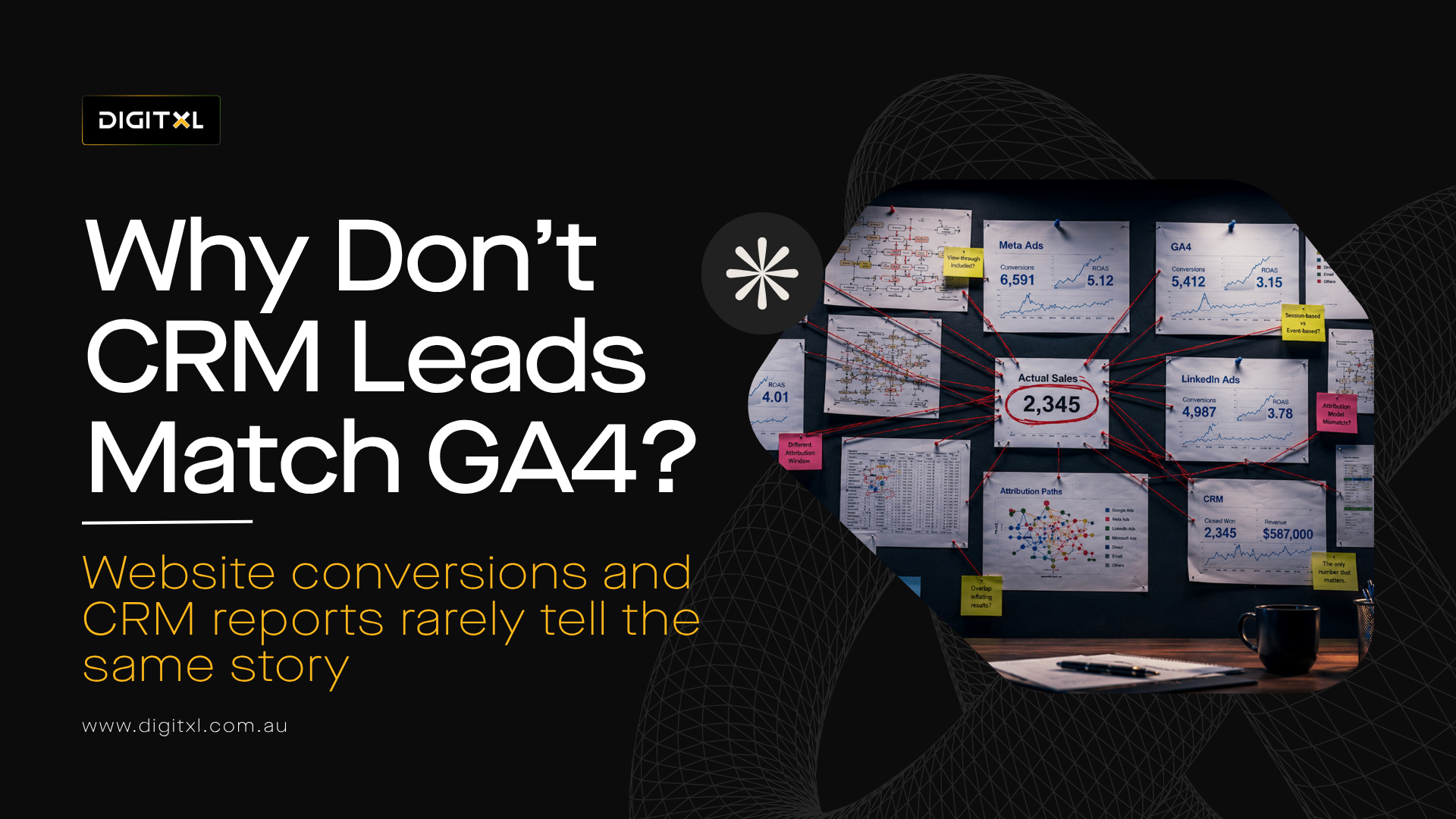
1. Direct Answer: Why Don't GA4 Conversions Match CRM Numbers?
GA4 conversions don’t match CRM numbers in many businesses because the two systems measure different parts of the customer journey.
GA4 might record a website form submission immediately, while the CRM may merge that enquiry with an existing contact, filter it as spam or route it somewhere other than the sales pipeline. In other situations, GA4 may miss genuine leads because they came through a phone call, staff-entered booking, external platform or a session where analytics measurement was unavailable.
Tracking problems can widen the difference further. One successful form submission might fire several conversions in GA4, while another legitimate enquiry type may not be tracked at all.
The goal is not to force the systems into artificial numerical alignment.
Start by understanding the relationship between:
Website interaction → GA4 conversion → CRM record → qualified lead → opportunity → revenue
Once that flow is understood, the mismatch becomes much easier to diagnose.
2. GA4 and Your CRM Are Usually Measuring Different Things
GA4 is primarily designed to measure digital behaviour. Like Universal Analytics before it, it should not automatically be treated as the same thing as a CRM or operational system.
A CRM is designed to manage contacts, leads, opportunities and customer relationships.
Those systems naturally view the same journey differently.
For example, GA4 might record a conversion when somebody successfully submits an enquiry form. The CRM may then check whether that email address already exists, whether the enquiry is valid and which team should receive it.
One GA4 conversion could therefore lead to:
- a new CRM lead
- an update to an existing contact
- no lead because the submission was filtered
- a service or support record rather than a sales lead
- multiple CRM records if routing is poorly configured
This is one of the most common reasons GA4 conversions don’t match CRM numbers, even when both systems are working as intended.
The numbers are connected, but they are not automatically equivalent.
| Measurement stage | What it usually represents |
| Website form start | Visitor begins interacting with the form |
| Successful submission | Website confirms the enquiry was completed |
| GA4 conversion | A tracked digital action is recorded |
| CRM record | A lead or contact is created or updated |
| Qualified lead | The enquiry is confirmed as commercially relevant |
| Opportunity | The lead enters active sales pipeline |
| Revenue | The opportunity becomes commercial value |
The closer the measurement gets to revenue, the more business context becomes available.
That is why a website conversion should not automatically be treated as the final source of truth.
3. Real Example: When GA4 Reported Far More Conversions Than the Business Actually Received
One B2B service business experienced a significant version of this problem.
Across a three-month period, GA4 recorded 246 conversions. When the activity was investigated, only 78 conversions were associated with genuine visitor sessions.
The initial dashboard therefore made it appear that the website was generating substantially more conversion activity than the business’s own enquiry records suggested.
This is a useful example of why GA4 and CRM numbers don’t match for reasons that are not always obvious from the headline totals.
The gap did not come from one problem. Several measurement issues were happening at the same time.
3.1 Non-Customer Activity Was Being Counted as Conversion Demand
A large proportion of the activity traced back to diagnostic tooling, previews from ad platforms, self-referrals and internal activity rather than genuine prospects.
One diagnostic source alone generated 129 recorded conversions from only 35 sessions.
That pattern immediately indicated that the activity could not be interpreted as normal customer demand. The same sessions were generating repeated conversion signals rather than representing 129 separate genuine enquiries.
3.2 One Successful Action Was Firing Multiple GA4 Events
The form implementation also contained duplicate event firing.
Around 130 recorded form events were associated with only 15 unique users, meaning the measurement was inflated by roughly 8.7 times at that point in the journey.
The underlying cause was multiple tags firing from a single submission.
The CRM did not have an equivalent number of leads because those events did not represent separate people or separate enquiries.
3.3 At the Same Time, Genuine Enquiry Types Were Being Missed
The more interesting part of the example is that GA4 was not simply over-counting everything.
While one enquiry type was heavily inflated, several legitimate conversion paths were not being treated as key events at all.
Phone interactions, email clicks and booking activity were not consistently represented in conversion reporting, and one booking event had been split across two different event-name spellings.
The setup was therefore doing two contradictory things at the same time:
over-reporting one type of conversion while under-reporting others.
The resulting reported conversion rate was approximately 0.34%, while the estimated genuine rate was closer to 2.5%.
That is roughly a sevenfold difference in the opposite direction from what the raw GA4 conversion count initially suggested.
The lesson is important: when GA4 conversions don’t match CRM numbers, a high GA4 total does not automatically mean the CRM is missing leads. GA4 itself may be over-counting one action while the wider measurement setup is under-reporting genuine business performance.
3.4 First Check Whether GA4 Is Tracking a Real Successful Submission
A common cause of CRM and GA4 mismatch is that analytics is not measuring the same action the business thinks it is measuring.
For example, a conversion action may be recorded when somebody clicks the submit button.
That sounds reasonable, but a click does not prove that an enquiry was successfully received.
The visitor may have missed a required field, validation may fail, an API request can return an error, or the form may never reach the CRM.
If Google Analytics records the click anyway, analytics shows a conversion that never becomes a lead.
A stronger implementation usually tracks a confirmed success state.
Depending on the website and form platform, this could be:
- a successful form event
- a confirmed thank-you page
- a validated API response
- a dataLayer event after successful submission
- a form-platform success callback
The event should represent the same point that the business considers a genuine enquiry.
This is an important first check whenever GA4 and CRM numbers don’t match, because the two systems cannot be reconciled properly if they are counting different actions from the outset.
4. Duplicate GA4 Events Can Make Website Conversions Look Too High
Duplicate measurement is another common cause of over-reporting.
A website may have several systems capable of sending the same conversion:
- hardcoded GA4
- Google Tag Manager
- CMS or plugin tracking
- form-platform integrations
- Google Ads, Meta Ads and other ad platform integrations
- client-side or server-side tracking implementations
If several of those analytics tools, integrations or tracking methods fire for one successful enquiry, GA4 can record multiple events while the CRM correctly creates a single lead.
The same problem can occur when a form submission fires one event and the thank-you page fires another event configured as the same conversion.
The first real example above illustrates how significant this can become. When 15 users can generate roughly 130 form events, the conversion count stops representing customer demand and starts representing instrumentation behaviour.
If GA4 is consistently higher than the CRM, duplicate-event testing should happen early in the investigation.
5. Existing CRM Contacts Can Make CRM Lead Numbers Look Lower
CRM systems frequently deduplicate records.
If the same person enquires again, the CRM may update the existing contact instead of creating another new lead.
GA4 can still legitimately record two conversion events because two separate website actions occurred.
For example, a prospect may submit an enquiry in January and return several months later to request another consultation.
GA4 could show:
2 conversions
The CRM might still contain:
1 contact
Neither system is necessarily incorrect.
The business simply needs to decide what it is comparing.
Is the GA4 total being reconciled against:
- newly created CRM contacts
- total form activities
- unique leads
- qualified leads
- opportunities?
Those are different measures.
This is another situation where GA4 and CRM numbers don’t match by design, rather than because either platform is broken.
6. Spam and Invalid Enquiries Can Create Legitimate Differences
Not every successful form submission is commercially useful.
Spam bots, test enquiries, job applicants, existing customers and irrelevant submissions can all trigger website conversion events.
GA4 may record those events because the digital action occurred.
The CRM or sales process may subsequently remove or reclassify them.
For example:
GA4 submissions: 150
CRM records: 132
Qualified leads: 84
That does not automatically indicate broken tracking.
The important question is whether the movement between each stage can be explained.
A more useful model is:
Website submission → CRM record → valid lead → qualified lead → opportunity
That gives marketing teams a much clearer view of commercial performance than expecting every platform total to be identical.
7. GA4 Can Also Under-Report Genuine Business Outcomes
The mismatch can run in the opposite direction.
Another business with online bookings experienced exactly that.
Across a seven-day period, GA4 recorded approximately 1,700 bookings, while the booking platform’s backend recorded 2,226.
GA4 was therefore roughly 23% lower than the operational system.
This example shows that GA4 conversions can differ from CRM or backend records in either direction. GA4 can over-report in one implementation and under-report in another.
The example is particularly valuable because the booking events were being supplied by the booking platform itself. At first glance, that could make the difference difficult to explain.
The investigation pointed to several likely sources of the gap.
7.1 Some Bookings Did Not Originate From a Website Session
One of the main explanations was bookings that existed in the operational platform but had never passed through a customer browser session.
These could include phone reservations, walk-in bookings or reservations manually entered by staff.
The booking platform correctly counts those records because the bookings exist.
GA4 cannot record a normal website conversion when there was no website interaction to observe.
In this case, offline bookings were the leading diagnostic explanation rather than a fully closed forensic finding, so they should be treated as a likely contributor rather than the only confirmed cause.
7.2 The Confirmation Event Depended on the Browser Completing the Journey
Another potential source of under-reporting was the reliance on a client-side confirmation or redirect after payment.
Consider somebody making a booking from a mobile phone.
They complete the payment, then immediately switch apps, close the browser or lose connectivity before the confirmation page finishes loading.
The booking can still be completed successfully in the backend.
GA4 may never receive the final confirmation event.
7.3 Consent and Blockers Can Create Additional Gaps
Some users may also decline analytics consent, use ad blockers, or use browser technology that prevents the expected analytics hit from being recorded.
The operational platform can still contain a valid booking even when GA4 has less ability to observe it.
The important lesson from this example is not that GA4 was wrong.
It is that an operational system and a browser-based analytics platform do not have the same visibility into the customer journey.
8. A GA4-to-CRM Gap Does Not Tell You Which System Is Wrong
The two real examples illustrate why looking at the size of the variance alone is not enough.
In the first case:
GA4 was substantially higher than genuine enquiry activity.
In the second:
GA4 was materially lower than backend booking activity.
So when GA4 and CRM numbers don’t match, the direction of the gap does not tell you which platform is wrong.
The direction of the difference changed, but the principle remained the same: you need to understand what each system is counting before interpreting the variance.
A useful rule is:
A small, stable and explainable gap can be normal. A sudden change, a growing gap over time or a difference concentrated around a particular form, channel or device deserves investigation.
There is no universal acceptable percentage because the expected variance depends on the website, CRM rules, consent environment, offline activity and how conversions are defined.
What matters is whether the business can explain the difference.
9. Some Forms May Not Be Tracked at All
CRM systems can also contain more leads when not every website conversion path is included in GA4.
A B2B website may have:
- main enquiry forms
- product enquiries
- demo requests
- embedded HubSpot or Marketo forms
- live chat
- call-back requests
- booking tools
- downloadable resource forms
The CRM may receive records from all of them while GA4 only tracks the main contact form.
That creates a measurement gap even though each individual system is technically working.
This becomes particularly common as websites evolve. New forms and landing pages are launched, but the original analytics implementation is not updated.
Creating a complete form and conversion inventory is therefore one of the simplest starting points for reconciliation when GA4 conversions don’t match CRM numbers.
10. Third-Party Forms Can Break the Measurement Journey
Many B2B businesses use external platforms for lead capture, booking or scheduling.
The visitor may begin on the main website but complete the action in an iframe, another domain or a separate application.
That can create several problems.
The GA4 session may not continue correctly. Referral information can change. Cross-domain tracking may be incomplete. The successful submission may happen inside the external platform without ever being communicated back to the main website.
The CRM can still receive the lead even when GA4 does not record the conversion.
When CRM leads consistently exceed GA4 website conversions, embedded and external forms should therefore be included in the investigation.
The useful question is:
Where does the successful action actually happen, and does GA4 have a reliable way of knowing that it happened?
11. Consent Can Reduce What GA4 Can Observe
Consent is another reason the systems may not align.
A user can successfully submit an enquiry while analytics measurement is unavailable or restricted under the organisation’s consent setup.
The CRM can still receive the enquiry where the submission is processed appropriately under the organisation’s privacy framework.
Google Analytics 4 may have less visibility into the same interaction.
That can produce a journey such as:
Valid CRM lead → limited or missing directly observed GA4 conversion
The size of that effect depends on the consent implementation, Consent Mode configuration, consent rate and wider measurement architecture.
For that reason, if GA4 and CRM numbers don’t match, the difference should not automatically be classified as a technical tracking failure.
Consent should therefore be reviewed as part of the measurement setup, not treated as a separate issue.
12. Why Attribution Can Make Matching Even More Confusing
Even when both systems record the same person, they can assign that lead to different marketing sources.
GA4 has its own attribution logic based on the customer interactions and available measurement signals it can observe through Google Analytics 4, including its attribution settings and features such as Google Signals where applicable.
The CRM may use:
- original source
- latest source
- first-touch attribution
- last-touch attribution
- campaign association
- manually assigned source
Imagine a B2B prospect first discovers the company through organic search, later interacts with a Google Ads or Meta Ads campaign and eventually returns directly to submit an enquiry.
The lead could appear differently across systems.
| System | Possible attribution |
| GA4 | Paid Social |
| CRM original source | Organic Search |
| CRM latest source | Direct |
| Sales reporting | Marketing Generated |
That is not necessarily a tracking error.
The systems may simply be answering different questions.
Before reconciling channel performance, teams therefore need to understand the attribution settings in each system and define which attribution model they are actually comparing.
13. Submission IDs Can Make Reconciliation Much Easier
Without a common identifier, reconciliation often becomes a comparison of aggregate totals.
GA4 reports 127 conversions.
The CRM contains 118 leads.
The team then has to work backwards and determine which nine are missing.
A stronger implementation can use a non-personal submission or reference identifier to connect the journey.
For example:
Form submission ID → GA4 event → CRM record
The identifier should not contain personal information such as an email address or phone number.
This makes it much easier to determine whether:
- the website submitted successfully
- GA4 received the conversion
- the CRM received the record
- the CRM merged an existing contact
- the record was filtered
- an integration failed
When GA4 conversions don’t match CRM numbers, reconciliation then becomes a record-level investigation rather than a guessing exercise.
14. A Practical Framework for Diagnosing Why GA4 Conversions Don't Match CRM Numbers
Rather than changing tags immediately, work through the journey in order.
14.1 Define What Counts
Start by defining what GA4 considers a conversion and what the CRM considers a lead.
If the definitions differ, the totals should not be expected to match.
14.2 Trace the Journey
Test a controlled enquiry through the complete journey:
Website → successful submission → GA4 → CRM
Confirm every stage rather than stopping when the GA4 event appears.
14.3 Reconcile the Records
Look for:
- missing events
- duplicate events
- existing contacts
- spam filtering
- manually created records
- external forms
- offline activity
The objective is to explain why GA4 and CRM numbers don’t match, rather than simply calculate the variance.
14.4 Qualify the Outcome
Determine how many CRM records become genuine qualified leads.
A measurement system should not optimise towards spam, internal testing or irrelevant enquiries simply because they triggered a conversion event.
14.5 Attribute Only After the Journey Is Trusted
Once the conversion and CRM flow are reliable, assess which channels and campaigns are generating the outcomes.
This avoids building attribution decisions on top of unreliable conversion measurement.
15. What Should Marketing Teams Measure?
A strong measurement framework should look beyond a single GA4 conversion number.
| Metric | What it helps explain |
| Form views | How many users reach the conversion opportunity |
| Form starts | Whether visitors engage with the form |
| Submission attempts | Whether visitors attempt to convert |
| Successful submissions | Whether the website completes the action |
| GA4 conversions | Whether analytics receives the event |
| CRM records | Whether the submission reaches the business system |
| Valid leads | Whether the enquiry is legitimate |
| Qualified leads | Whether it has commercial relevance |
| Opportunities | Whether it progresses into pipeline |
| Revenue | Whether marketing produces commercial value |
That creates a more useful funnel:
Website intent → conversion → CRM → qualification → opportunity → revenue
Once the funnel is visible, a mismatch at one stage becomes a specific diagnostic problem rather than a general reporting disagreement.
16. Common Mistakes When GA4 and CRM Numbers Don't Match
16.1 Expecting the Totals to Match Exactly
GA4 and CRM platforms serve different purposes. A small, explainable difference is not automatically a problem.
16.2 Comparing GA4 Conversions With Unique CRM Contacts
One person can complete several website conversions while remaining one contact in the CRM.
16.3 Tracking Submit Button Clicks as Successful Leads
A click does not prove that the form was successfully processed.
16.4 Ignoring Duplicate Events
Multiple tags or integrations can inflate GA4 while the CRM correctly records one enquiry.
16.5 Ignoring Offline Activity
Phone enquiries, manually entered bookings and other offline interactions can appear in business systems without ever creating a website session.
16.6 Forgetting Other Lead Sources
Chat, calls, third-party forms and external booking platforms may generate CRM records outside the primary GA4 journey.
16.7 Ignoring CRM Automation
CRM workflows can merge, reject, enrich or reroute records after submission.
16.8 Comparing Attribution Without Defining the Model
GA4 and CRM channel labels may legitimately differ because they answer different attribution questions.
16.9 Optimising for Website Conversions Instead of Lead Quality
More GA4 conversions do not automatically mean more qualified pipeline.
17. Measurement Needs to Follow the Full Customer Journey
For many B2B businesses, the biggest problem is not simply that GA4 and CRM numbers don’t match.
It is that the organisation has never clearly defined how the two systems are supposed to connect.
GA4 is useful for understanding acquisition, website behaviour, landing-page performance and digital conversion journeys.
The CRM becomes more useful once the prospect enters the sales process and the business can evaluate qualification, opportunity value and revenue.
Neither system provides the complete commercial picture on its own.
A stronger measurement architecture connects them:
Campaign → website visit → conversion → CRM lead → qualified opportunity → closed revenue
That allows marketing teams to move beyond:
“Why don’t GA4 conversions match CRM numbers?”
towards:
“Which campaigns actually generated qualified opportunities and revenue?”
That is a much stronger basis for optimisation.
18. DIGITXL Point of View
When GA4 conversions don’t match CRM numbers, the first objective should not be to make the numbers identical.
The objective should be to understand what each system is measuring and where the journey begins to diverge.
The two examples in this article demonstrate why that matters. GA4 can materially over-report conversion activity when instrumentation is wrong, while in another journey it can under-report genuine commercial outcomes that happen outside the browser or are not observable by analytics.
At DIGITXL, we would approach the problem using:
Define → Trace → Reconcile → Qualify → Attribute
Define what counts as a website conversion and a CRM lead.
Trace the action from the website through GA4 and into the CRM.
Reconcile duplicate, missing, offline and filtered records.
Qualify which records represent genuine commercial opportunities.
Attribute those outcomes back to marketing only once the underlying measurement chain can be trusted.
A small and explainable difference may be perfectly acceptable. A large, sudden or unexplained gap deserves investigation.
When GA4 and CRM numbers don’t match, the commercial goal is not perfect numerical alignment between every platform.
It is a measurement system where the differences are understood and marketing activity can be reliably connected to qualified leads, opportunities and revenue.
19. Final Thoughts
When GA4 conversions don’t match CRM numbers, it does not automatically mean one of the platforms is wrong.
GA4 and the CRM see different parts of the customer journey. The real issue is whether your team understands where the numbers begin to diverge and why.
Start by checking what each system counts, validate the website-to-CRM journey, and then look at duplicates, missing events, offline leads, consent and CRM processing.
The goal is not to make every number identical. It is to build a measurement setup where the differences make sense and marketing can be connected confidently to qualified leads, opportunities and revenue.
If GA4 and CRM numbers don’t match and you cannot explain the gap, DIGITXL can help identify where the measurement journey is breaking and build a more reliable connection between website conversions and CRM outcomes.

 Previous

