- Supermetrics
How To Fix Slow, Messy, Or Duplicated Supermetrics Dashboards
17 Jun 2026
Supermetrics dashboards are useful when they bring marketing data together clearly. They help teams report on Google Ads, Meta Ads, GA4, LinkedIn Ads, TikTok Ads, Shopify, HubSpot, Salesforce and other ad platforms without manually exporting spreadsheets every week.
But when the setup becomes slow, duplicated or inconsistent, the dashboard can quickly lose trust.
To fix slow, messy or duplicated Supermetrics dashboards, teams should first compare key marketing metrics against the source platforms, then review connector settings, selected accounts, date ranges, time zones, currencies, query size, scheduled refreshes, data blending, join keys, deduplicating data logic, dashboard structure and data validation rules.
Most Supermetrics reporting issues happen because the data is being pulled, joined, refreshed, transformed or displayed in a way that does not match the original source or reporting goal.
For marketing managers, analysts and CEOs, this matters because reporting errors affect media budget confidence, client reporting, campaign optimisation, revenue discussions, marketing reporting and leadership trust.
1. What Are Supermetrics Dashboard Data Problems?
Supermetrics dashboard data problems happen when the report becomes slow, inconsistent, duplicated or hard to trust.
This may appear as:
1.1 A Dashboard Taking Too Long To Load
Pages are slow, filters lag, charts time out or CPU usage increases because the report is pulling too much live data from multiple data sources.
1.2 Supermetrics Dashboard Showing Wrong Data
Spend, clicks, leads, conversions, Reach metrics, unique count metrics or revenue do not match the source platform.
1.3 Duplicate Data In A Report
The same campaign, account, row, transaction, Ad ID, Post ID or conversion appears more than once.
1.4 Blended Data Inflating Metrics
Marketing metrics increase after sources are joined, blended or mapped incorrectly.
1.5 Scheduled Refreshes Failing
Reports show old data or do not update when expected.
1.6 Connector Fields Breaking
A field changes, disappears or stops working after a connector, platform update, schema drift or API change.
1.7 Stakeholders Questioning The Numbers
Marketing teams, clients or leadership no longer trust the dashboard.
This is why many teams ask: how do you fix Supermetrics duplicate data in report before using the dashboard for decisions?
The answer is to find where the problem starts: the source platform, Supermetrics connector, data destination, refresh schedule, data transformation, data blending, deduplication rule or dashboard layer.

2. Why Supermetrics Dashboards Become Slow Or Messy
Supermetrics dashboards usually become slow or messy when too much raw data is being pulled directly into the report.
Large date ranges, too many fields, too many charts, multiple live data sources and complex blends can all increase load time. Reports can also slow down when every chart makes a separate query to the original data source.
Messy dashboards can happen when teams keep adding new platforms without updating the reporting structure. A report may begin with Google Ads and Google Analytics, then later add Meta Ads, LinkedIn Ads, TikTok Ads, CRM data, ecommerce revenue, offline conversions and other marketing data sources. If the data model is not reviewed, the dashboard becomes harder to maintain.
Duplicate data usually happens when the same data is pulled more than once, when scheduled imports overlap, when join keys are not unique or when blended data multiplies rows.
For larger reporting environments, teams may need stronger data governance, cleaner data pipelines, better data hygiene and a more reliable data integration platform instead of relying on manual workflows.
3. Supermetrics Troubleshooting Priority Order
Before rebuilding a dashboard, check the most likely causes first.
3.1 Source Platform
Compare the metric against the original platform, such as Google Ads, Meta Ads, GA4, Shopify, HubSpot, Salesforce or another source system.
3.2 Connector Settings
Review selected accounts, fields, metrics, dimensions, attribution settings, conversion types, object types, query type and connector permissions.
3.3 Date Range
Check whether all charts and source platforms use the same reporting period.
3.4 Time Zone And Currency
Confirm whether daily totals, spend and revenue are aligned across platforms.
3.5 Query Size
Reduce unnecessary dimensions, metrics, long date ranges and heavy live queries.
3.6 Scheduled Refreshes
Check whether data is updating correctly and not being imported more than once.
3.7 Blended Data
Review join keys, join type, data granularity and data mapping.
3.8 Duplicate Rows
Check whether campaign, date, account, transaction or conversion records are repeated.
3.9 Dashboard Filters
Review report-level, page-level and chart-level filters.
3.10 Data Destination
Check whether the data goes into Looker Studio, Google Sheet, Google Sheets, Power BI, BigQuery, Supermetrics Hub, Supermetrics Storage or another reporting layer.
4. Common Signs Your Supermetrics Dashboard Needs Fixing
Teams should review their Supermetrics reporting setup when they see signs such as:
4.1 Dashboard Load Times Are Slow
Pages take too long to open, filters lag or charts fail to load.
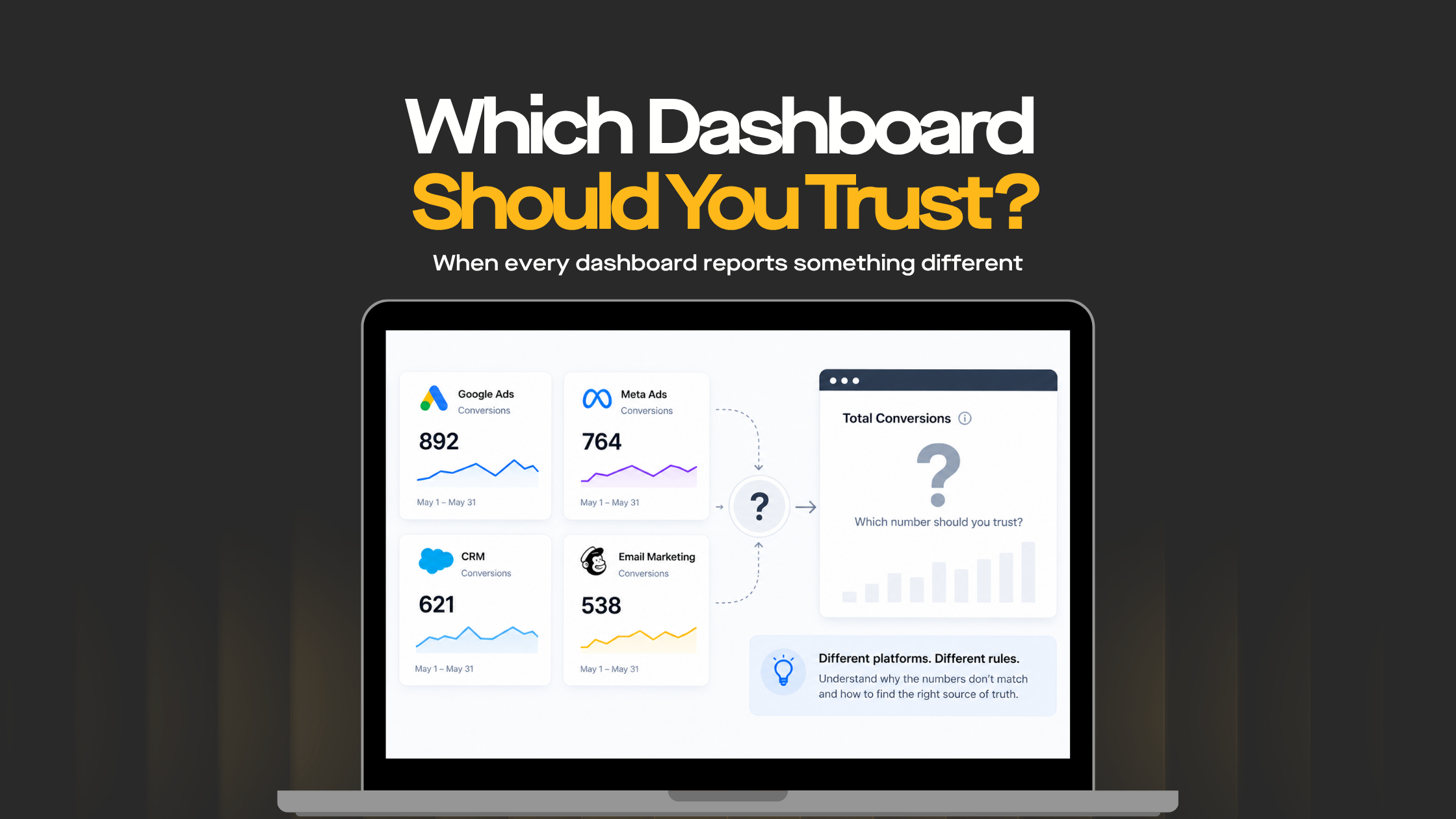
4.2 Metrics Do Not Match Source Platforms
Spend, clicks, impressions, leads, Reach metrics, conversion rate or conversions do not match Google Ads, Meta Ads, GA4 or CRM reports.
4.3 Duplicate Data Appears In Reports
The same campaign, account, row, Ad ID, Post ID or conversion appears more than once.
4.4 Deduplicated Values Look Wrong
Totals become too high, too low or inconsistent after deduplication logic is applied.
4.5 Blended Data Inflates Totals
Spend, revenue or leads increase after sources are blended.
Reports do not update on time or show stale data.
4.7 Too Many Charts Use Live Queries
Each chart requests data separately, slowing down the dashboard.
4.8 Filters Behave Inconsistently
Changing a filter affects some charts but not others.
4.9 Stakeholders Do Not Trust The Report
Teams keep asking why dashboard numbers are different from platform numbers.
5. How To Fix Supermetrics Dashboards Showing Wrong Data
Compare Metrics Against The Source Platform
Start with the source of truth.
If a Supermetrics dashboard shows wrong data, compare the affected metric against the original platform. Check Google Ads, Meta Ads, GA4, LinkedIn Ads, Shopify, HubSpot, Salesforce or the relevant source system.
This helps identify whether the issue is in the source platform, Supermetrics connector, data transformation, blend or dashboard.
For example, if Google Ads cost in Supermetrics does not match Google Ads, the issue may be account selection, currency, time zone, attribution settings or date range. If the Supermetrics number matches Google Ads but the dashboard total changes after blending, the issue is likely in the reporting layer.
6. Review Supermetrics Connector Settings
Connector settings control what data is pulled into the report.
Check whether the right accounts, properties, ad accounts, campaigns, metrics and dimensions are selected. Also check whether the connector uses the right attribution window, currency, conversion type or account view.
Connector issues can create wrong data when:
- The wrong account is selected
- Multiple accounts overlap
- A field has changed in the source platform
- A metric is no longer supported
- Attribution settings differ from the source report
- A connector refresh fails
- Historical data is reloaded incorrectly
- API limits or source platform restrictions affect the pull
- Schema drift causes field mapping problems
- An error message appears after a source platform update
When dashboards connect to multiple platforms, connector settings should be documented so the reporting logic is clear.
7. Reduce Query Size To Improve Dashboard Speed
Slow dashboards often happen because the report is asking for too much data at once.
Supermetrics reports can become slower when they pull large date ranges, many dimensions, many metrics or too many chart elements from live sources.
To improve speed:
- Reduce the number of charts per page
- Remove unused metrics and dimensions
- Limit date ranges where possible
- Avoid pulling unnecessary historical data
- Use fewer filters on heavy pages
- Split complex reports into separate pages
- Use aggregated data where possible
- Move heavy reporting into BigQuery, Supermetrics Hub or Supermetrics Storage
The goal is to make the dashboard faster, easier to use and easier to maintain.
8. Fix Supermetrics Duplicate Data In Reports
Duplicate data usually happens when the same row, event, account, campaign or conversion is counted more than once.
Common causes include:
- Multiple connectors pulling overlapping data
- Repeated scheduled imports
- Duplicate rows in Google Sheets
- Blended data multiplying records
- Non-unique join keys
- Multiple ad accounts using similar campaign names
- Conversions counted across multiple attribution views
- Historical data appended without deduplication
- Manual exports mixed with connector data
- Poor data hygiene across source platforms
To fix Supermetrics duplicate data in report, identify the unique key that should define one record.
Depending on the report, this may be:
- Date
- Account ID
- Campaign ID
- Campaign name
- Ad group ID
- Ad ID
- Post ID
- Transaction ID
- Lead ID
- Customer ID
- Conversion ID
- Payment method where relevant
Once the unique key is clear, duplicates can be removed or prevented at the source, spreadsheet, BigQuery table, data warehouse or dashboard layer.
9. Fix Supermetrics Deduplicated Values Errors
Teams may search for how to fix Supermetrics deduplicated values errors when numbers appear too low, too high or inconsistent after deduplication logic is applied.
Deduplication problems often happen when the chosen key is not reliable enough. For example, deduplicating by campaign name alone may remove valid rows if the same campaign name exists across multiple accounts, dates or regions. Deduplicating by date alone may remove too much data. Deduplicating without a transaction ID may fail for ecommerce reporting.
To fix deduplicated values errors:
- Define what should count as one unique record
- Use stable IDs where possible
- Avoid deduplicating only by names
- Include date and account fields where relevant
- Check whether valid rows are being removed
- Compare deduplicated totals against source systems
- Document deduplication rules clearly
- Confirm whether metrics are aggregatable or non-aggregatable
Deduplication should make reporting more accurate, not simply reduce totals.
10. Review Blended Data And Join Keys
Blended data is one of the most common reasons Supermetrics dashboards show wrong data.
For example, a team may blend Google Ads spend with GA4 sessions and CRM leads. If the join only uses campaign name, spend may be duplicated when the same campaign appears across multiple dates, accounts or channels.
Better join keys may include:
- Date
- Account ID
- Campaign ID
- Source
- Medium
- Channel
- Landing page
- Transaction ID
- Customer ID
- Ad ID
- Post ID
The correct join key depends on the reporting question and data granularity.
Before using blended data in executive reports, test totals before and after blending. If totals change unexpectedly, the blend needs to be fixed.
10.1 Aggregatable And Non-Aggregatable Metrics
Some marketing metrics can be safely summed. Others cannot.
Aggregatable metrics may include spend, clicks and impressions. Non-aggregatable metrics may include unique count metrics, Reach metrics and some calculated rates.
If a dashboard sums non-aggregatable metrics, the report can show misleading totals.
11. Review Date Ranges, Time Zones And Currency
Metric mismatches often happen because platforms use different reporting settings.
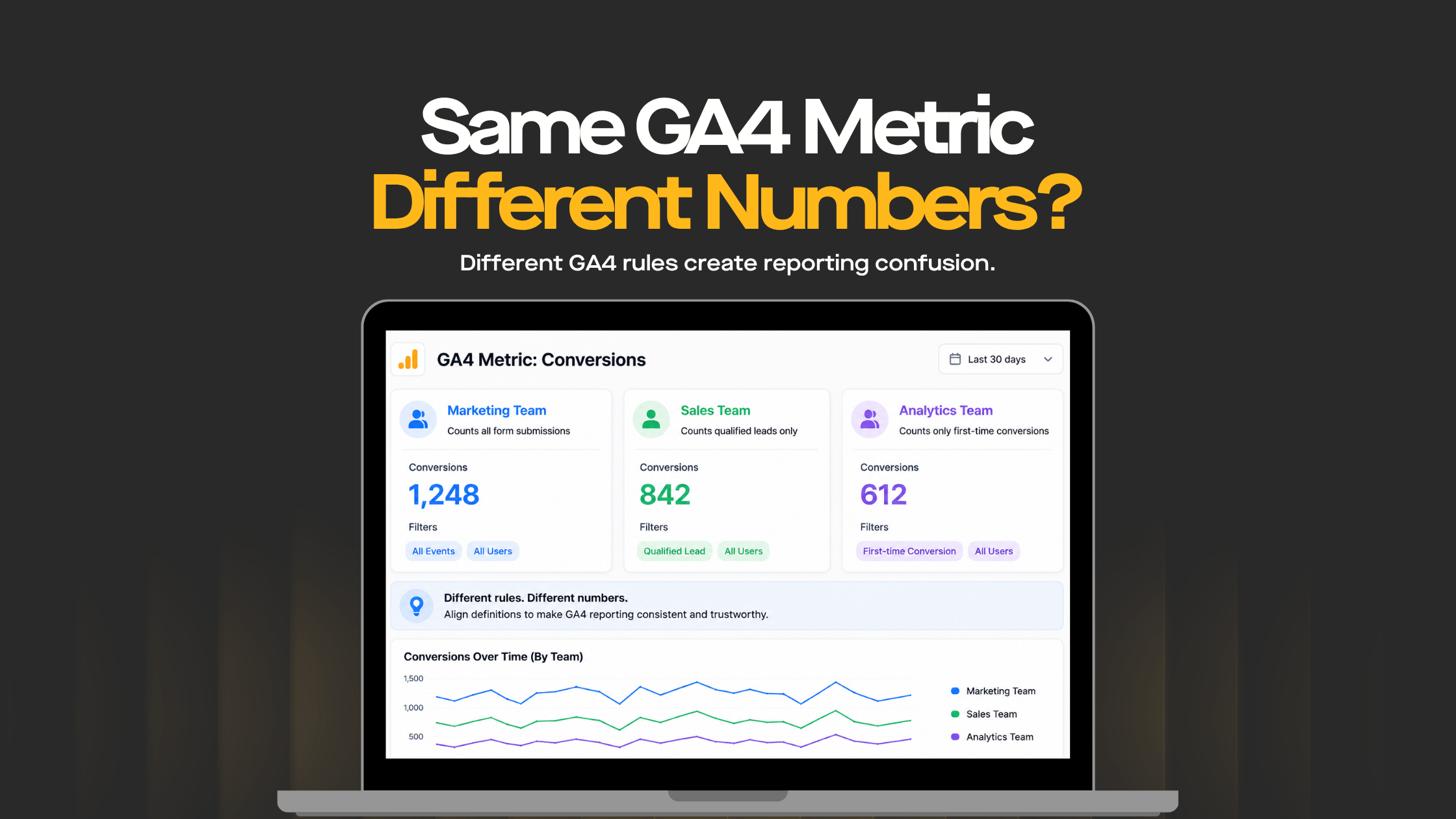
Google Ads, Meta Ads, GA4, CRM and ecommerce systems may use different time zones, attribution windows or currencies. If these are not aligned, daily totals and campaign performance may not match.
Check:
- Report date range
- Chart-level date range
- Source platform time zone
- Account currency
- Conversion window
- Attribution model
- Historical data availability
- Data processing delays
- Remaining days in a subscription or reporting period where relevant
- Notice period for platform or connector changes where relevant
Some differences are expected across platforms. The important step is to document which source is used for each metric.
12. Use A Cleaner Data Destination For Complex Reporting
For simple reports, pulling data directly into Looker Studio, Data Studio or Google Sheets may be enough.
For complex dashboards, especially those with multiple sources, large date ranges or heavy blending, a cleaner data destination may be better.
Options may include:
- Supermetrics Hub
- Supermetrics Storage
- Google Sheets for smaller datasets
- BigQuery for scalable reporting
- Looker Studio Extract Data
- Power BI datasets
- Aggregated reporting tables
- Data warehouses
- Data pipelines
- Cloud data integration tools
For larger marketing teams, BigQuery can create a more controlled reporting layer with deduplication, transformation and validation logic. This helps reduce dashboard load time and makes reporting easier to QA.
13. Create A Dashboard QA Process
A dashboard should be checked before it is shared with clients, executives or marketing teams.
A simple QA process should include:
- Compare key metrics against source platforms
- Check date ranges
- Review account selection
- Validate filters
- Test blended data totals
- Check duplicate rows
- Review deduplication logic
- Review refresh schedules
- Confirm currency and time zone
- Check dashboard load speed
- Document known differences
- Review data validation rules
- Check data quality issues
- Review schema drift
- Confirm Data mapping rules
- Escalate repeat issues to the Support team
This helps prevent reporting surprises during performance meetings.
14. Simplify The Dashboard Layout
A slow or messy dashboard is not only a data issue. It can also be a design issue.
If a dashboard has too many pages, charts, filters and scorecards, users may struggle to find the answer they need.
A cleaner layout should focus on:
- Executive summary
- Channel performance
- Campaign performance
- Conversion performance
- Funnel metrics
- Revenue or lead quality
- Trend analysis
- Key actions
- Data quality notes
The dashboard should answer business questions, not display every possible metric.
15. Data Governance For Supermetrics Reporting
Supermetrics dashboards become easier to trust when teams have clear data governance.
Data governance should define:
- Who owns each data source
- Which metrics are approved
- Which connector settings should be used
- Which attribution rules apply
- Which campaign tags are required
- Which date range should be used
- Which dimensions are approved
- Which data destinations are trusted
- How data quality issues are reported
- How schema drift is handled
- How a system audit report is reviewed
This is especially important when reporting supports client reporting, marketing mix modeling, multi-touch attribution, board reports or budget decisions.
16. Supermetrics And Alternative Data Integration Tools
Supermetrics is one option in the broader marketing data platform and data integration platform landscape.
Teams may also use tools such as Windsor connector, Power My Analytics, Dell Boomi, AWS Glue, ETL as a Service platforms or cloud data integration tools depending on their data architecture.
16.1 Supermetrics Hub
Supermetrics Hub can help teams manage data movement, reporting workflows and access to marketing data sources.
16.2 Windsor Connector
A Windsor connector may be used to move marketing data into reporting tools and dashboards.
16.3 Power My Analytics
Power My Analytics can support marketing reporting from different advertising and analytics platforms.
16.4 Dell Boomi
Dell Boomi may support enterprise data integration where marketing data needs to connect with CRM, finance, ecommerce or operational systems.
16.5 AWS Glue
AWS Glue may support ETL workflows and data pipelines for teams working inside AWS environments.
The right tool depends on data volume, reporting complexity, security requirements, budget, internal skills and data destinations.
17. Security And Compliance Considerations
When dashboards include client, customer or commercial performance data, security and compliance matter.
Teams should review whether the platform, connector and reporting workflow align with business requirements such as ISO 27001, SOC 2 Type II, user access controls, data retention policies and audit requirements.
This is especially important when marketing reporting includes revenue, customer IDs, conversion records, payment method data or client advertising spend.
18. Advanced Reporting And Attribution Considerations
As reporting maturity increases, dashboards often need more than basic channel reports.
Advanced reporting may include:
- Multi-touch attribution
- Marketing mix modeling
- Attribution rules
- Campaign ID mapping
- Ad ID mapping
- Post ID mapping
- AI semantic mapping
- Data transformation
- Data validation
- Deduplicating data
- Data hygiene
- Conversion rate reporting
- Channel contribution analysis
These use cases usually require a cleaner data model than a basic Looker Studio report connected directly to live sources.
Reliable conversion reporting is especially important when dashboard insights are used to guide website optimisation. An experienced CRO agency can use trusted campaign, funnel and conversion data to identify where customers disengage, prioritise testing opportunities and measure whether website changes improve leads, sales or revenue.
19. Handling Subscription, Access And Account Issues
Some reporting problems are not caused by data logic. They may come from platform access, subscription status or account configuration.
Teams should check:
- Subscription status
- Subscriptions page
- Remaining days
- Notice period
- Payment method
- User permissions
- Connector access
- API limits
- Source platform permissions
- Support team tickets
If a connector stops refreshing after billing or permission changes, the dashboard may show stale or incomplete data.
20. When Non-Marketing Data Does Not Belong In The Dashboard
Some keywords or data types may appear in documentation, connector systems or unrelated platform exports, but they do not always belong in a marketing dashboard.
Examples include:
- CPU usage
- Memory usage
- Packets in
- Packets out
- Virtual machines
- VCF Operations
- Object group
- Alert definitions
- OPS CLI commands
- Trigonometric functions
- Liquid template language
- Documentation Index
- Available pages
- Pages before
These may be relevant in IT, infrastructure, cloud operations or documentation systems, but they should not be mixed into a marketing performance dashboard unless there is a clear business reason.
Keeping the dashboard focused improves trust, readability and reporting clarity.
21. What Marketing Managers, Analysts And CEOs Should Review
Marketing managers should review whether the dashboard supports campaign decisions. They should check whether channel, campaign, audience and conversion metrics match the way campaigns are managed.
Analysts should review connector settings, query size, duplicate rows, blended data, deduplication logic, date ranges, time zones, refresh schedules, calculated fields, source validation, data transformation and data validation.
CEOs and leadership teams should focus on trust. If a Supermetrics dashboard is slow, messy or duplicated, it cannot confidently support media budget, client reporting, revenue or growth decisions.
22. When To Work With A Supermetrics Partner, Agency Or Consulting Team
You should consider working with a Supermetrics partner, Supermetrics agency or Supermetrics consulting team when reporting issues involve multiple platforms, duplicated data, wrong metrics, slow dashboards or complex data blending.
For Brisbane-based marketing and ecommerce teams, working with a CRO agency in Brisbane can help turn reliable Supermetrics reporting into practical conversion action. Once campaign and conversion data is accurate, CRO specialists can analyse landing-page behaviour, funnel drop-offs and customer journeys to determine which improvements should be tested first.
A practical Supermetrics consulting approach can help teams:
- Audit existing Supermetrics dashboards
- Fix Supermetrics duplicate data in reports
- Resolve Supermetrics dashboard showing wrong data
- Review deduplicated values errors
- Optimise connector settings
- Reduce slow report load times
- Improve blended data logic
- Set up BigQuery or storage-based reporting
- Create dashboard QA processes
- Build trusted marketing performance reports
- Improve data governance
- Review data pipelines
- Improve data hygiene
- Validate data destinations
- Document attribution rules
This helps teams move from fragile reporting to dashboards that are faster, cleaner and easier to trust.
23. Final Thoughts
Slow, messy or duplicated Supermetrics dashboards usually happen when connector settings, query size, blends, duplicate rows, date ranges, refresh schedules, deduplication rules and dashboard structure are not properly managed.
To fix Supermetrics dashboards, start by comparing metrics against the source platform, reviewing connector settings, reducing query size, fixing duplicates, validating blends and documenting reporting rules.
The goal is not just to make dashboards faster. The goal is to make marketing reporting trustworthy.
When Supermetrics reporting is properly configured, marketing managers can optimise campaigns faster, analysts can explain performance with confidence and leadership can make better decisions about budget, growth and revenue.
24. FAQs
Q. How Do You Fix Supermetrics Duplicate Data In A Report?
A. To fix Supermetrics duplicate data in a report, identify where the duplicate rows come from, review connector settings, check account overlap, validate scheduled imports, inspect blended data and use reliable unique keys such as date, account ID, Campaign ID, transaction ID, Ad ID, Post ID or customer ID.
Q. Why Is My Supermetrics Dashboard Showing Wrong Data?
A. A Supermetrics dashboard may show wrong data because of incorrect connector settings, different date ranges, wrong account selection, duplicated rows, blended data issues, attribution differences, time zone mismatch, currency differences, schema drift or refresh delays.
Q. How Do You Fix Supermetrics Deduplicated Values Errors?
A. To fix Supermetrics deduplicated values errors, define what should count as one unique record, use stable IDs where possible, avoid deduplicating only by campaign names, compare deduplicated totals against source platforms and document deduplication rules clearly.
Q. Why Is My Supermetrics Dashboard Slow?
A. A Supermetrics dashboard may be slow because it pulls too much data directly from live sources. Large date ranges, too many charts, too many fields, complex filters and multiple blended sources can increase load time.
Q. How Can You Speed Up A Supermetrics Dashboard?
A. You can speed up a Supermetrics dashboard by reducing chart elements, limiting date ranges, removing unused fields, simplifying filters, splitting complex reports into separate pages and using Extract Data, Supermetrics Storage, Supermetrics Hub or BigQuery for heavier reporting.
Q. Can Blended Data Cause Duplicate Metrics In Supermetrics Reports?
A. Yes. Blended data can cause duplicate metrics if the join keys are not unique or if the sources have different levels of granularity. This can multiply spend, clicks, leads, conversions or revenue.
Q. Why Does Supermetrics Data Not Match Google Ads Or GA4?
A. Supermetrics data may not match Google Ads or GA4 because of different date ranges, attribution windows, time zones, currencies, selected accounts, metric definitions, refresh delays, API limits or connector settings.
Q. What Is Data Governance In Supermetrics Reporting?
A. Data governance means defining who owns the data, which metrics are trusted, which connector settings are approved, how attribution rules are applied and how data quality issues are reviewed before reports are shared.
Q. How Do You Prevent Supermetrics Reporting Issues?
A. Prevent Supermetrics reporting issues by documenting connector settings, standardising date ranges, checking filters, validating blended data, using reliable join keys, monitoring refresh schedules and completing QA before sharing dashboards.
Q. When Should You Work With A Supermetrics Partner Or Consulting Team?
A. You should work with a Supermetrics partner, agency or consulting team when dashboards are slow, duplicated, inconsistent or difficult to trust across multiple marketing platforms. A partner can help clean the setup, optimise reporting and build a more reliable data model.

Recent Posts

Case Studies
Business News Australia
On Track Meals
Suncorp